FTC disclaimer: This post contains affiliate links and I will be compensated if you make a purchase after clicking on my link.
Did you know the average user has over 5 devices connected to the internet? Each one needs good data storage. Knowing about web storage options is key for making apps that work well and are easy to use.
You can choose from many online storage solutions. These include LocalStorage, SessionStorage, Cookies, IndexedDB, and Cache API. Each web storage type has its own job. They help with things like saving user settings or keeping important app data ready.
Key Takeaways
- Knowing about the different types of web storage is vital for web development today.
- LocalStorage, SessionStorage, Cookies, IndexedDB, and Cache API are the main web storage options.
- Each web storage type has its own use and things to think about for security.
- Using online storage solutions well makes apps run better and feel better to use.
- Picking the best web storage depends on what your app needs.
What is Web Storage?
Exploring web development means learning about web storage. It’s key for making apps efficient and easy to use. Web storage lets apps save data in a user’s browser. This makes apps better, faster, and works offline.

The Evolution from Cookies to Modern Storage Solutions
Web storage has changed a lot, from cookies to LocalStorage and IndexedDB. Cookies were good for small data but had size and security issues. Now, we have better, safer ways to store data locally.
Why Web Storage Matters for Modern Web Applications
Web storage is crucial for today’s apps. It makes apps more interactive and personal. Apps work better offline and need fewer server requests. This makes apps faster and less slow.
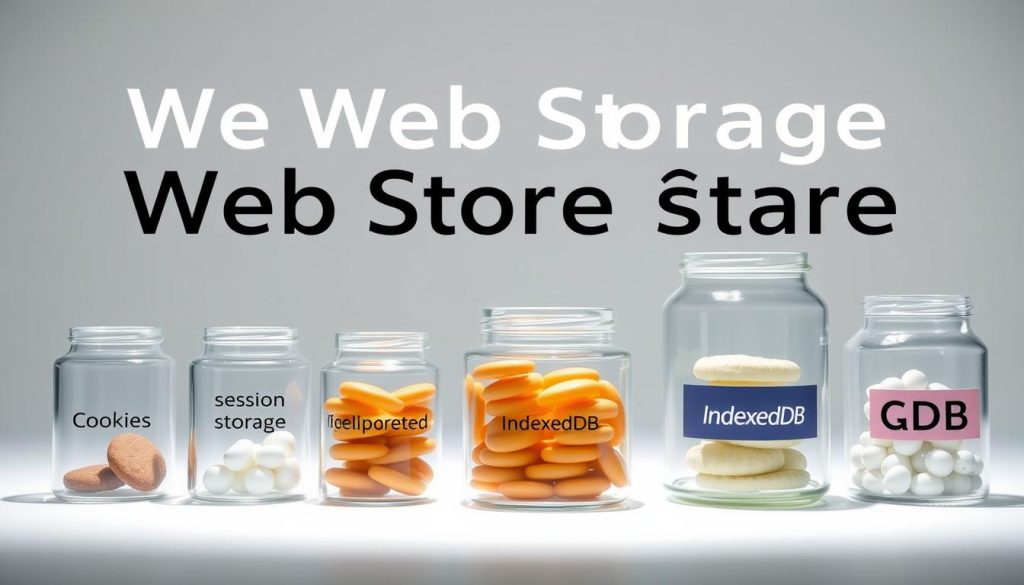
Types of Web Storage Explained
Web storage has grown to offer many solutions. Each one meets different needs and use cases. As a developer, knowing these options is key to picking the right one for your web app.
Local Storage: Persistent Client-Side Storage
LocalStorage is a simple way to store data in a user’s browser. It holds key-value pairs forever until cleared. It’s great for storing preferences or data that doesn’t change often.
Session Storage: Temporary Browser Storage
SessionStorage works like LocalStorage but only lasts as long as the page is open. It clears when the tab closes. This makes it good for temporary data or sensitive info that shouldn’t stay long.
IndexedDB: For Complex Structured Data
IndexedDB is a more advanced option for storing lots of structured data. It’s like a NoSQL database in the browser. It supports complex queries and indexing. This is ideal for apps needing offline access or complex data handling.
| Storage Type | Persistence | Use Cases |
|---|---|---|
| LocalStorage | Persistent | User preferences, non-critical data |
| SessionStorage | Session-based | Temporary data, sensitive information |
| IndexedDB | Persistent | Complex data structures, offline capabilities |
Local Storage in Depth
Local Storage plays a big role in web development today. It’s a way to save data in the browser. This data stays even after you close the browser, making it very useful for developers.
How Local Storage Works
Local Storage saves data as key-value pairs in the browser. It’s a simple method to save things like user preferences and app state. This way, you don’t always need to use the server to store data.

Storage Limits and Considerations
Local Storage has its limits. Most browsers give about 5MB of storage per website. If you go over this, you might get errors. Also, since the data is in plain text, it’s not very secure, which is a big concern.
“Local Storage is a powerful tool, but it should be used judiciously, considering its limitations and the nature of the data being stored.” – Web Development Expert
When to Use Local Storage
Use Local Storage for data that doesn’t need to be kept secret. It’s great for saving user preferences or app settings. It’s also good for web apps that work offline or when you want to speed up your app.
| Use Case | Description |
|---|---|
| User Preferences | Storing user settings, like theme choices or layout preferences. |
| Application State | Saving the state of an application for when the user returns. |
Code Examples for Local Storage Implementation
Using Local Storage is easy. Here’s a basic example:
localStorage.setItem('username', 'JohnDoe');
const username = localStorage.getItem('username');
This shows how to set and get a value with Local Storage.
Session Storage Explained
Understanding session storage is key for making modern web apps. It’s a way to store data temporarily for a user’s session. This is great for apps that need to keep track of state or hold temporary data.
Session Storage Lifecycle
Session storage works for as long as the page is open. It stays the same through page reloads and restores. But, when you close the browser, all session storage data is gone. This makes it perfect for data that’s needed during use but not kept after.
Key Differences from Local Storage
Session storage and local storage differ in how long data is kept. Local storage keeps data forever, but session storage clears it when the session ends. This makes session storage better for sensitive or temporary data that should be deleted when the browser closes.

Ideal Use Cases for Session Storage
Session storage is great for storing data temporarily. This includes form inputs, user preferences, or game states. It’s also good for multi-step processes where data needs to be kept across different pages or steps.
Practical Session Storage Code Examples
To use session storage, you can use the sessionStorage object. You can set data with sessionStorage.setItem('key', 'value') and get it with sessionStorage.getItem('key'). Here’s a basic example:
| Operation | Code Example |
|---|---|
| Set Item | sessionStorage.setItem('username', 'JohnDoe') |
| Get Item | sessionStorage.getItem('username') |
| Remove Item | sessionStorage.removeItem('username') |
Understanding IndexedDB
IndexedDB is a powerful tool for web storage. It’s a client-side NoSQL database that helps with structured data storage. This makes it great for complex web apps.
The Power of NoSQL Database in the Browser
IndexedDB brings NoSQL database power to the browser. It allows for flexible and efficient data storage. This lets developers handle complex data structures in web apps and offline apps.
Working with Complex Data Structures
IndexedDB is great for complex data. You can store blobs, arrays, and objects. It’s perfect for apps that need to store and get back complex data.
When IndexedDB is the Right Choice
So, when should you use IndexedDB? It’s best for storing lots of structured data or complex data. Here are some scenarios where IndexedDB shines:
- Storing complex application data
- Enabling offline capabilities for web applications
- Managing large datasets
Basic IndexedDB Implementation
To use IndexedDB, you create a database, define object stores, and do CRUD operations. Here’s a simple example to start:
// Open a database
const request = indexedDB.open("MyDatabase", 1);

// Handle database creation or upgrade
request.onupgradeneeded = (event) => {
const db = event.target.result;
// Create an object store
const store = db.createObjectStore("myStore", { keyPath: "id" });
};
Mastering the Web Storage API
Learning the Web Storage API is key for handling client-side data well. It offers a simple yet effective way to store and get data locally. This boosts web app performance and functionality.
Setting and Retrieving Data
To save data, use the setItem() method. To get it, use getItem(). For example, to save a user’s name, use localStorage.setItem('username', 'JohnDoe'). To get it, use localStorage.getItem('username').
Removing and Clearing Storage
To delete data, use removeItem(). To clear all, use clear(). For instance, localStorage.removeItem('username') deletes the ‘username’ key. localStorage.clear() clears all data.
Handling Storage Events
The Web Storage API lets you track storage changes with the storage event. This is great for keeping data in sync across tabs or windows.
Error Handling and Debugging
It’s vital to handle errors, like when storage is full. Use try-catch blocks around your storage actions.
Here’s a look at the Web Storage API’s methods:
| Method | Description |
|---|---|
| setItem(key, value) | Stores a value with the given key |
| getItem(key) | Retrieves the value associated with the key |
| removeItem(key) | Removes the item with the specified key |
| clear() | Clears all stored data |
By mastering the Web Storage API, you can manage client-side data well. This improves your web app’s performance and user experience. Whether comparing solutions or implementing methods, knowing the Web Storage API is essential.
Real-World Use Cases for Web Storage
Web storage is key to making web apps better. It helps developers make apps work faster and better. This makes using the app more enjoyable for everyone.
E-commerce Shopping Carts
Web storage helps make shopping online smoother. It keeps your cart items in your browser. This means you can check out quicker and feel happier.
Form Data Persistence
Web storage saves your form data so you don’t lose it. This is great if you refresh the page or leave the site. It makes using the site less frustrating and saves time.
User Preferences and Settings
Storing user settings in web storage makes your site more personal. You can adjust things like font size and colors. This makes your site feel more like your own.
Offline-First Web Applications
Web storage is essential for apps that work offline. It keeps important data on your device. This way, your app works even without the internet, and syncs data when you’re back online.
Performance Optimization Techniques
Using web storage smartly can also make your app faster. It cuts down on server requests. This makes your app more responsive and quicker to use.
| Use Case | Benefits | Storage Type |
|---|---|---|
| E-commerce Shopping Carts | Faster checkout, improved user satisfaction | Local Storage |
| Form Data Persistence | Reduced user frustration, saved time | Session Storage |
| User Preferences and Settings | Personalized experience | Local Storage |
| Offline-First Web Applications | Functionality without internet, data syncing | IndexedDB |
Security Considerations for Web Storage
Keeping data safe in web storage is key for today’s web apps. When using local storage, session storage, and IndexedDB, knowing the risks is important.
XSS Vulnerabilities and Prevention
Web storage faces a big risk from Cross-Site Scripting (XSS) attacks. XSS happens when bad scripts are added to a site, letting attackers get to data in web storage. To stop XSS, check and clean user input, use Content Security Policy (CSP), and update your tools.
Sensitive Data Storage Best Practices
Storing sensitive info, like login tokens or personal details, needs extra care. Try not to keep such data in local or session storage. If you must, use secure ways to store it or encrypt it first. Always think about how bad it would be if this data got out.
Encryption Strategies for Stored Data
Encrypting data before storing it makes it much safer. You can use the Web Cryptography API (W3C WebCrypto) to encrypt data on the client side. This way, even if someone gets to the data, they can’t read it without the right key.
Content Security Policy Implementation
Having a strong Content Security Policy (CSP) is vital to protect your site from XSS and other attacks. CSP lets you control what content can run on your pages. By setting trusted sources, you lower the chance of bad scripts running, keeping your data safe.
Browser Support and Compatibility
It’s key to know about browser support and compatibility for web storage. As web developers, making sure your web storage works on many browsers is important. This ensures a smooth experience for users.
Current Browser Support Status
Today, most browsers support web storage, like local storage and session storage. But, support levels can differ, mainly for advanced options like IndexedDB. Always check the support status for your chosen web storage method.
Handling Legacy Browser Support
Developing web apps means sometimes supporting older browsers. These browsers might not support modern web storage. So, using fallbacks or other storage options is crucial for compatibility.
Feature Detection and Fallbacks
Feature detection is about checking if a browser supports a web storage feature. If not, you can use cookies or other storage as fallbacks. This ensures your app works on all browsers.
Testing Web Storage Across Browsers
Testing your web storage on various browsers and versions is vital. This includes testing on desktop and mobile browsers. It helps cover a wide range of user experiences.
Advanced Web Storage Techniques
To get the most out of web storage, it’s key to know the advanced methods. These techniques help make your web apps run better and feel more user-friendly.
Combining Storage Types for Optimal Performance
Boost your app’s performance by mixing different storage types. For example, use local storage for data that stays, session storage for temporary needs, and IndexedDB for big, complex data. This mix creates a strong storage setup.
- Use local storage for user preferences and settings.
- Utilize session storage for data that needs to be retained only during the session.
- Leverage IndexedDB for complex data structures and large datasets.
Storage Quotas and Management Strategies
It’s important to know and manage storage limits. Browsers have different limits, and going over them can cause problems. Use strategies like watching storage use and fixing errors to manage data well.
- Monitor storage usage to avoid exceeding quotas.
- Implement error handling for quota exceeded errors.
- Optimize data storage by compressing data or using efficient data formats.
Synchronizing Data with Server-Side Storage
Syncing web storage data with server storage is key for keeping data consistent. Use methods like regular syncing and live updates. This ensures a smooth experience on all devices and browsers.
Learning these advanced web storage methods boosts your web development skills. You can make web apps that are more efficient, scalable, and user-friendly.
Conclusion
You now know about the different types of web storage. This includes local storage, session storage, and IndexedDB. These solutions are key to making web apps better by storing data efficiently.
Each type of storage has its own strengths and uses. Local storage is great for keeping data on your device. Session storage is best for temporary data that doesn’t last long. IndexedDB is perfect for handling complex data in apps.
When using web storage, think about security and browser support. Knowing how to protect your data from XSS attacks is crucial. Also, understanding which browsers support your storage solutions is important for a wide reach.
With this knowledge, you can improve your web development projects. This leads to more efficient, secure, and user-friendly apps.