FTC disclaimer: This post contains affiliate links and I will be compensated if you make a purchase after clicking on my link.
Thinking about deleting your Facebook profile for good? Many are choosing to remove their Facebook account due to privacy and digital footprint concerns.
Deleting your Facebook account is a big step. It means you want to protect your personal data, reduce your online presence, or just step away from social media.
It’s important to know how to delete your account for good. This guide will help you understand the process. You’ll be able to make a smart choice about your online life.
Key Takeaways
- Understand the reasons for deleting your Facebook account.
- Learn the steps to permanently erase your Facebook account.
- Discover the implications of deleting your Facebook profile.
- Find out how to protect your personal data.
- Understand the process of removing your Facebook account.
Understanding the Reasons to Erase Your Facebook Account
Knowing why you want to delete your Facebook account is key. The reasons can be very personal.
Privacy is a big reason for people to deactivate their Facebook account or cancel their Facebook profile. Data breaches and misuse of personal info are big worries. Many users are now more careful about their online life.
Privacy Concerns
Privacy worries are a big deal. Facebook has had many data privacy scandals. If you’re worried about your data, eliminating your Facebook account might seem like a good way to keep it safe.
The way Facebook collects data and shares it with apps can be scary. People are now more aware of their digital trail. They’re taking steps to reduce it.

Digital Detox
Another reason is wanting a digital detox. Many feel too much info on social media. They want to spend less time looking at screens.
Deleting Facebook can help you live a healthier digital life. It lets you break free from its addictive nature. You can then focus on real-life connections.
Reducing Time Spent on Social Media
Another reason is to spend less time on social media. Facebook can take up a lot of time. Deleting it can give you more time for better things.
By canceling your Facebook profile, you avoid constant notifications. This lets you take back your time. It also helps you be more productive.
Preparing to Erase Your Facebook Account
Before you delete your Facebook account, it’s important to prepare. You need to back up your data and tell your friends about your choice.
Backup Your Facebook Data
First, download your Facebook data. This includes your posts, photos, and more. Here’s how:
- Go to your Facebook settings.
- Click on “Your Facebook Information.”
- Select “Download Your Information.”
- Choose what data to download and click “Create File.”
Facebook will get your data ready. This might take a while, depending on how much you’ve shared.
Informing Your Contacts
Tell your friends and family you’re leaving Facebook. You can post a status or send a message. Here’s what to do:
- Be clear about leaving Facebook.
- Give them another way to reach you, like your email or other social media.
- Thank them for understanding.
By doing these steps, you’re ready for the change. You can still stay in touch with people after deleting your account.
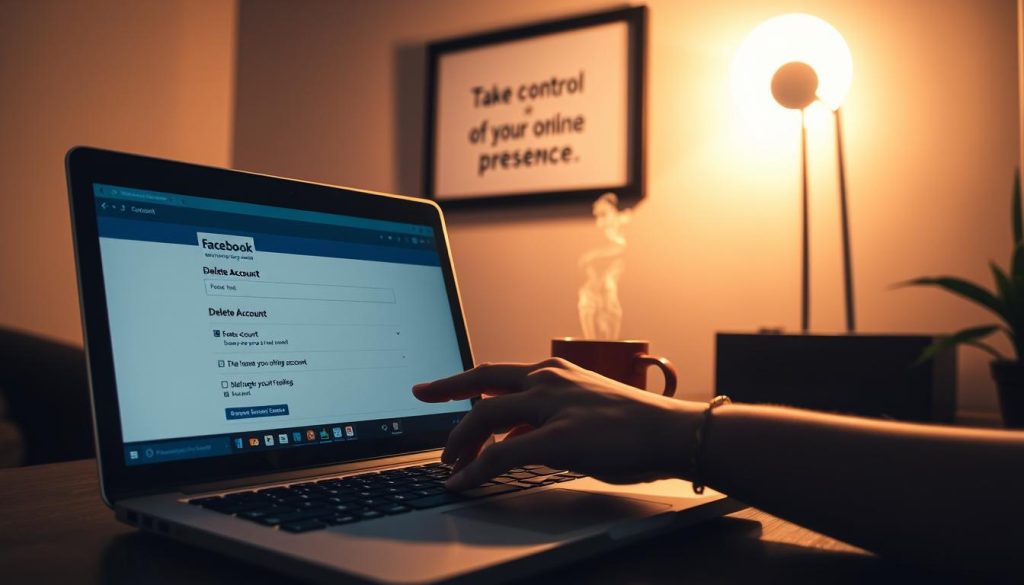
How to Access the Account Deletion Page
To delete your Facebook account, first find the account deletion page. You need to go through your Facebook settings to find it.
Navigating Facebook Settings
Log into your Facebook account and click the down arrow in the top right corner. Choose “Settings & Privacy,” then “Settings.” This takes you to the main settings page.
Locating the ‘Your Facebook Information’ Section
Look for “Your Facebook Information” on the left menu. Click it, and it will show more options. Then, click “Deactivation or Deletion” to delete your account.
Here’s a summary of the steps in a tabular format for easier reference:
| Step | Description |
|---|---|
| 1 | Log in to your Facebook account |
| 2 | Click on the down arrow and select “Settings & Privacy” |
| 3 | Click on “Settings” |
| 4 | Navigate to “Your Facebook Information” |
| 5 | Select “Deactivation or Deletion” |
By following these steps, you can easily find the account deletion page. Then, you can terminate your Facebook account or delete your Facebook profile as you wish.
Choosing Between Deactivation and Deletion
Before you decide to erase your Facebook account, it’s crucial to know the difference between deactivating and deleting. This understanding will help you make an informed decision that suits your needs.
Differences Between Deactivation and Deletion
Deactivating your Facebook account is a temporary measure. It makes your profile not accessible to others. Your information is saved, so you can reactivate your account anytime by logging back in.
Deleting your account is a permanent action. It removes your profile, posts, and other information from Facebook’s servers.
Deactivation is ideal if you’re taking a break or want to hide your presence without losing your data. In contrast, deletion is a more permanent solution for those who wish to completely erase their Facebook presence.
When to Choose Deactivation
You might prefer to deactivate your Facebook account if you’re concerned about privacy but wish to retain your data, or if you’re unsure about leaving the platform permanently. Deactivation allows you the flexibility to return to your account whenever you choose.
Consider deactivation if you’re looking to step back from social media without committing to a permanent deletion. This option gives you the freedom to re-engage with the platform in the future.
Steps to Permanently Erase Your Facebook Account
If you want to delete your Facebook account, here’s how. Deleting your account is a big step. Facebook makes it easy to know what to do.
Confirming Your Identity
To start deleting your account, you must confirm who you are. This is for your safety. It makes sure you really want to delete your account.
- Log in to your Facebook account.
- Navigate to the Settings page.
- Click on Your Facebook Information in the left-hand menu.
- Select Deactivation or Deletion.
- Choose the account you want to delete (if you’re managing multiple accounts).
Facebook says, “When you delete your account, people won’t see it anymore.”
“Deleting your account is permanent and can’t be undone.”
Finalizing the Deletion Process
After confirming who you are, you’ll finish deleting your account. You’ll look at Facebook’s data policy. You’ll see what happens to your data after you delete it.
| Data Type | Retention Policy |
|---|---|
| Messages you’ve sent to other users | May still be visible to others |
| Posts and comments | Removed from public view, but may take time to be completely erased |
| Account information | Permanently deleted |
After looking at the data, click Continue to Account Deletion. You’ll need to enter your password again.
After these steps, your Facebook account will be marked for deletion. Remember, it might take some time for Facebook to delete it.
What Happens After You Delete Your Account
When you delete your Facebook account, Facebook has specific steps for your data. Knowing these steps helps you decide to remove your account.
Data Retention Policies
Deleting your Facebook account doesn’t mean all your data is gone right away. Facebook keeps some info for a while. This is for legal reasons and to keep backups.
Data retention is common among online services. It helps them fix issues or meet legal demands. Facebook’s policies aim to protect your privacy while meeting these needs.
“Some information may be stored for a reasonable period after you delete your account, for example, to comply with legal obligations or to protect the rights of others.”
Here’s what happens to your data:
| Data Type | Retention Period | Description |
|---|---|---|
| Profile Information | Immediate Deletion | Your profile info is gone from public view right away. |
| Messages | Dependent on Recipient’s Status | Messages you sent stay visible to others unless they delete their accounts too. |
| Posted Content | Up to 90 Days | Content you posted is deleted in 90 days. But, some data might stay in backups. |
Account Recovery Period
If you regret deleting your account, Facebook gives you a chance to get it back. This account recovery period is 30 days from when you start deleting.
During this time, your account is not active. Your profile is not seen by others. If you log in, your account will be active again, and deletion won’t happen.
Knowing these steps helps you delete your Facebook account better. Whether you want to remove it temporarily or forever, being informed is important for a smooth process.
Common Misconceptions About Deleting Facebook
Before you delete your Facebook profile, it’s key to know the facts. Many users are unsure about their data and other Facebook services after deleting their account.
Permanently Deleting Your Data
Many think deleting Facebook erases all data right away. But, some data stays due to legal and operational needs.
Facebook keeps some info like your name and email (for legal or other services). But, this data won’t be used for ads or other Facebook services. It might take up to 90 days to delete all your info from Facebook’s servers. During this time, you can’t log back in.
Impact on Other Facebook Services
Some think deleting Facebook also deletes Messenger or Instagram. But, these services work on their own.
Deleting Facebook won’t stop you from using Messenger. But, your Messenger account might still be active. You need to delete Messenger or Instagram separately if you want to stop using them. Reviewing privacy and data settings on each platform helps manage your data better.
This knowledge helps you make a smart choice when you terminate your Facebook account. You can then better control your online presence and data.
Tips for a Smooth Deletion Process
When you decide to cancel your Facebook profile, follow a few steps. Deleting your account changes how you’re seen online. Being ready makes the process easier and less stressful.
Give Yourself Time to Decide
Take your time before deactivating your Facebook account or deleting it for good. Hasty decisions can lead to problems or regrets. Think about why you want to delete your account and if there are other ways to manage your online life.
Thinking it over will make you more confident and ready for the change. If you’re sure, you can start the deletion process knowing you’ve thought it through.
Communicating Your Decision
After deciding to cancel your Facebook profile, tell your friends and family. This helps them understand and avoid trying to reach you through Facebook after it’s gone.
You can use Facebook’s tools or other ways to share the news. For example, write a farewell post or reach out to close friends directly. This way, you can keep your relationships alive, even without Facebook.
By following these tips, you can make the transition smoother when you deactivate your Facebook account or cancel your profile. Remember, taking your time and talking to your contacts are important steps for a smooth process.
Alternatives to Deleting Your Facebook Account
You don’t have to delete your Facebook account to stay private. For many, deleting is too extreme. There are other ways to protect your privacy without losing your Facebook.
Adjusting Privacy Settings
Changing your privacy settings is a good start. You can decide who sees your posts and control your profile’s visibility. Go to your Facebook settings to make these changes.
You can make your posts only visible to friends or specific friends. Also, update your profile info to keep it private.
Limiting Time on the Platform
Another option is to use Facebook less. Facebook has tools to help you track your time. You can set reminders, view your activity, and even have “quiet hours” without notifications.
Being mindful of your time on Facebook can help your mental health and productivity. Try to only check Facebook at certain times to keep a balance.
| Feature | Description | Benefit |
|---|---|---|
| Daily Reminders | Notifies you when you’ve reached your daily usage limit | Helps you stay aware of your usage habits |
| Activity Reports | Provides insights into how you spend time on Facebook | Assists in identifying areas for reduction |
| Quiet Hours | Silences notifications during specified times | Reduces distractions and promotes focus |
Using these methods, you can have a better Facebook experience. You might not need to delete your account after all.
How to Inform Your Followers Before Deleting
Telling your Facebook followers you’re leaving is nice. It lets you say thanks and maybe tell them where to find you next.
Posting a Farewell Message
Posting a farewell message is easy. You can explain why you’re closing your Facebook account or just say thanks. You can also point them to other places online.
Your message might say: “I’ve decided to end my Facebook account. Thanks for being part of my journey. Follow me on [other platforms].”
Engaging with Important Connections
It’s also smart to talk to close friends or key contacts. You can use Facebook messages, email, or phone.
Talking to important people lets you tell them about your Facebook account deletion. It also keeps you in touch and might lead to new connections elsewhere.
By doing this, you make leaving Facebook easier. You keep the relationships you value while moving on.
Handling Apps Linked to Your Facebook Account
Deleting Facebook means more than just removing your profile. It’s also about managing apps linked to your account. When you delete your Facebook profile or erase a Facebook account, you’re not just leaving the platform. You’re also clearing your digital footprint from linked services.
Many apps and services use your Facebook account for login, sharing, or to work better. These can be from social games to productivity tools. It’s important to manage these connections to keep control over your online identity.
Unlinking Services
To erase your Facebook account, you must first unlink services. Here’s how:
- Check the apps and services linked to your Facebook through settings.
- Remove or unlink these services to stop data sharing or access.
- Think about revoking permissions for unused third-party apps.
Finding Alternatives
For many, apps linked to Facebook are key to their daily life. If you want to delete your Facebook profile but still use these apps, find new ones. Look for apps that don’t need Facebook for login or data sharing.
| Service | Facebook-Dependent Feature | Alternative |
|---|---|---|
| Social Gaming | Login via Facebook | Create a new account or use another social media login |
| Productivity Tools | Data sharing with Facebook | Use tools that offer alternative sharing options or manual data entry |
By unlinking services and finding new apps, you can smoothly transition away from Facebook. This keeps your privacy and gives you control over your online presence.
Seeking Support After Deleting Your Account
After you decide to delete your Facebook account, you might feel lost. It’s a big change. You need to find new ways to connect and stay active.
New Connections
Finding new friends can be fun. You can join clubs, go to events, or do group activities. This helps you make new friends in real life.
Offline Engagement
Doing things offline is good for you. Try a new hobby, volunteer, or hang out with loved ones. This way, you stay connected without Facebook.
If Facebook was your main way to connect, try Meetup or local groups. Having a plan for staying in touch makes the change easier.