FTC disclaimer: This post contains affiliate links and I will be compensated if you make a purchase after clicking on my link.
Are you curious about trying out Facebook’s romance feature? It’s called Facebook Dating. You can make a special profile to meet people with similar interests.
To start, you need the Facebook mobile app on your device. Facebook Dating is only for mobile. So, make sure to use it on your phone or tablet.
Key Takeaways
- Set up a separate profile for Facebook Dating
- Access Facebook Dating through the mobile Facebook app
- Connect with others who share similar interests
- Create a profile that showcases your personality
- Use Facebook Dating to find meaningful connections
What is Facebook Dating?
Facebook Dating helps you find matches based on your interests and activities on Facebook. It uses your profile info to suggest partners.
Overview of Facebook Dating Feature
Facebook Dating is a social networking site for dating in the Facebook app. It lets you create a dating profile separate from your main one. This way, you can meet people with similar interests.
Your dating profile won’t show up to your Facebook friends. This keeps things private. You can match with people based on shared Groups, events, or places.

Key Benefits of Using Facebook Dating
Facebook Dating as an online dating platform in Facebook has many benefits. Here are some key ones:
| Benefit | Description |
|---|---|
| Personalized Matching | Facebook Dating suggests matches based on your interests and preferences. |
| Privacy Control | You control who sees your dating profile. You can match with people from Facebook Groups or events. |
| Ease of Use | The feature is easy to find and use in the Facebook app. You don’t need a separate dating app. |
Facebook Dating can help you meet new people and find meaningful connections. It’s a comfortable and familiar way to do so.
How to Access Facebook Dating
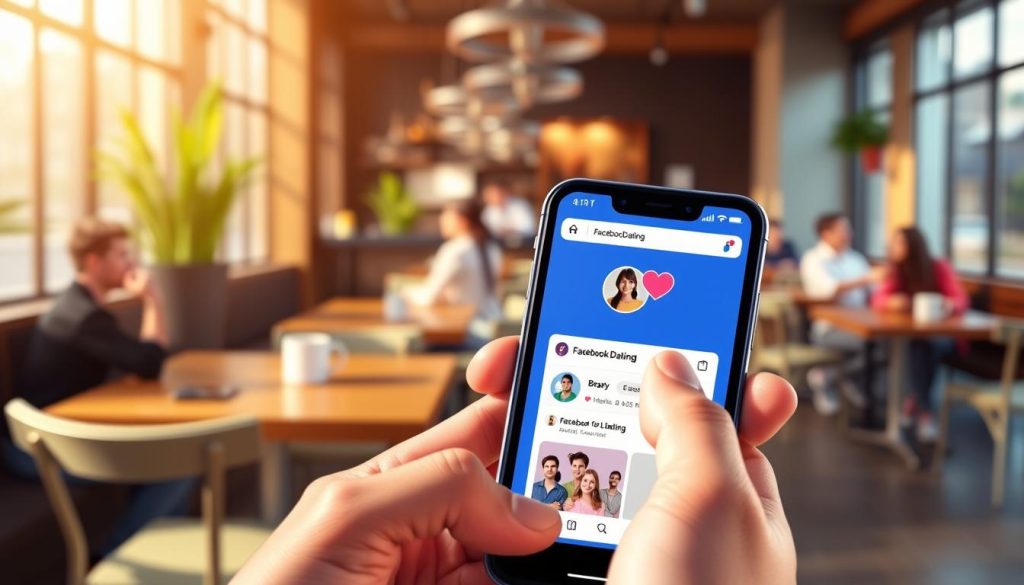
The Facebook Dating feature is easy to find in the Facebook app. It lets you start your dating journey in just a few steps. First, make sure you have the latest version of the Facebook app on your device.
Finding the Dating Feature in the App
To access Facebook Dating, follow these simple steps:
- Open the Facebook app on your device.
- Tap on the hamburger menu (three horizontal lines) in the top right corner of the screen.
- Scroll down and look for the “Dating” section.
- Tap on “Dating” to begin the setup process.
Facebook Dating is integrated into the main Facebook app. This makes it easy to access without needing a separate app. Facebook aims to make finding love easy and seamless.
Setting Up Your Profile
After finding the Dating section, Facebook will help you set up your profile. You’ll need to:
- Provide basic information like your gender and who you’re interested in.
- Add photos and details about yourself.
- Specify your preferences for matches.
By following these steps, you’ll create a profile that shows who you are and what you’re looking for. The process is simple, so you can start looking for matches quickly.
With Facebook Dating, you get a more personal experience. It uses Facebook’s features to help you find meaningful connections. Your experience is both safe and fun.
Creating Your Facebook Dating Profile
Your Facebook Dating profile is your chance to show who you are. Let’s explore how to make it stand out. A good profile is key to attracting matches.
Filling Out Your Information
Facebook will ask for basic info about you. This includes your gender and who you’re interested in. This info helps find matches for you.
Then, you’ll share your location. This is to meet people nearby. Make sure your location is right to find local matches.
Adding Photos to Your Profile
Photos are crucial for your profile. You can add up to nine photos. These photos should show who you are and what you like.
- Clear, recent face shots
- Full-body photos
- Pictures that showcase your hobbies or interests
Also, answer Facebook’s ice-breaker questions. These questions help others get to know you better.
| Profile Element | Description | Tips |
|---|---|---|
| Photos | Up to 9 photos showcasing your personality and life | Use clear, recent photos; include face shots and full-body pictures |
| Basic Information | Gender, interests, location | Be honest and accurate; this helps in getting relevant matches |
| Ice-breaker Questions | Answers to questions provided by Facebook | Use them to showcase your personality and interests |
By following these tips, you’ll attract more matches. Your profile should show your best self.
Understanding Match Preferences
To get the most out of Facebook Dating, it’s key to know how match preferences work. These preferences are vital in the Facebook Dating algorithm. They decide who you’ll match with based on your interests and activities on Facebook.
Setting Your Dating Preferences
Customizing your Facebook Dating experience is easy. You can pick who you want to match with based on shared interests. To do this, go to your Facebook Dating profile and tweak the settings. You can choose your age range, gender, and more.
Key preferences to consider include:
- Age range
- Location
- Interests
- Relationship goals
Changing these settings helps you find better matches. It makes sure your matches fit what you’re looking for in a partner.
Understanding the Algorithm
Facebook Dating’s algorithm matches you with people based on shared interests. It looks at your profile, Facebook interactions, and dating preferences. This helps find better matches for you.
As Facebook says, “Facebook Dating matches you with people based on your shared interests, preferences, and other things you do on Facebook.” The more you use the platform, the better your matches will be.
| Factor | Influence on Matches |
|---|---|
| Profile Information | Provides basic information about you |
| Interactions on Facebook | Influences matches based on your activity |
| Dating Preferences | Directly affects who you’re matched with |
Knowing these factors can make your Facebook Dating better. By paying attention to your interactions and adjusting your preferences, you can get better matches.
Browsing Potential Matches
Facebook Dating lets you look at potential matches based on what you like. It helps you find people who share your interests. You can see their profiles, photos, and answers to fun questions.
How to Navigate Through Profiles
To look at profiles, open the Facebook Dating app. Then, start browsing through profiles that fit what you like.
Sending Likes and Messages
You can interact with profiles in a few ways. You can like their profile, comment on photos, or answer their questions. Liking a profile shows you’re interested. If they like you back, you can start talking.
| Interaction Method | Description |
|---|---|
| Like Profile | Show interest in someone’s profile. |
| Comment on Photos | Engage with someone by commenting on their photos. |
| Respond to Icebreaker Questions | Answer or respond to their icebreaker questions to start a conversation. |
“The rise of dating apps has transformed the way people meet and interact.” – A recent survey on online dating trends
As you look at profiles, use these ways to connect with people. Always be real and kind in your interactions.
Communicating with Matches
Effective communication is key to turning a match into a meaningful connection on Facebook Dating. When you’ve matched with someone, you’re one step closer to potentially meeting someone special. The next step is to start a conversation that can help you build a connection with your match.
Tips for Starting Conversations
Starting a conversation with your match can be as simple as commenting on one of their photos or answering one of their answers to the dating profile questions. You can also use the “Secret Crush” feature to let someone know you’re interested. Here are some tips to get you started:
- Be genuine and authentic in your messages.
- Ask open-ended questions to encourage conversation.
- Show interest in getting to know the other person.
Safety Tips for Online Communication
While communicating with your matches, it’s essential to keep safety in mind. Facebook Dating provides several safety features to help you have a safe and enjoyable experience. Here are some safety tips to consider:
| Safety Tip | Description |
|---|---|
| Be cautious with personal info | Avoid sharing sensitive information like your address or financial details. |
| Use Facebook’s built-in messaging | Keep conversations within Facebook Dating to maintain safety features. |
| Report suspicious behavior | If you encounter any suspicious or harassing behavior, report it to Facebook. |
If someone you’re not interested in likes your profile or any of your pictures, you can click the “Not Interested” button. That person won’t be able to contact you.
Managing Your Matches
Starting to match on Facebook Dating is exciting. But, knowing how to manage your matches is key. It helps you keep track of your chats and stay safe.
Viewing and Organizing Your Matches
Viewing and organizing your matches is easy. Just go to the Dating section in your Facebook app. Look for the “Matches” or “Conversations” tab. There, you’ll see your matches and your chat history.
To organize your matches:
- Use the search function to find specific matches or conversations.
- Sort your matches based on your preferences, such as newest or most interacted with.
- Keep your conversations organized by using clear and concise messages.
Unmatching or Blocking Users
Need to unmatch or block someone? Facebook Dating makes it easy. Unmatching removes them from your list and stops chats. Blocking stops them from seeing your profile or contacting you.
To unmatch or block a user:
- Go to your conversations or matches list.
- Find the person you wish to unmatch or block.
- Select the appropriate option from the menu (usually represented by three dots or a similar icon).
- Confirm your choice to either unmatch or block the user.
Facebook’s safety guidelines say, “Blocking someone on Facebook Dating prevents them from being able to see your profile, send you messages, or interact with you in any way.”
“The key to a successful online dating experience is being genuine, respectful, and safe.”
| Action | Description | Effect |
|---|---|---|
| Unmatch | Remove someone from your match list. | Stops conversations; removes from match list. |
| Block | Prevent someone from contacting you or seeing your profile. | Prevents all interactions; removes from match list. |
Privacy Settings in Facebook Dating
To get the most out of Facebook Dating, knowing its privacy settings is key. It’s built with safety and privacy in mind. It offers features to control your online presence and interactions.
Understanding Privacy Options
Facebook Dating lets you manage your online presence. You can share your dating profile with friends or keep it private. You also control who sees your dating profile and who doesn’t.
Key privacy options include:
- Choosing who can see your dating profile
- Deciding whether to share your profile with friends or keep it private
- Managing who can message you
Facebook says, “You have control over who can see your dating profile and who can’t.” This control is key for your privacy and security.
Tips for Keeping Your Information Secure
To keep your info safe on Facebook Dating, be careful with what you share. Use the platform’s safety features. Here are some tips:
- Be cautious about the personal details you share on your profile
- Use the platform’s built-in messaging system to keep conversations within Facebook Dating
- Take advantage of the feature that allows you to share your plans with friends or family when meeting someone
Facebook Dating lets you open Messenger from Dating to tell a friend or family member about your plans. This includes the person’s name, time, and place. It’s a great safety feature. Facebook says, “Safety is our top priority.” By following these tips and using the platform’s features, you can stay safe and secure on Facebook Dating.
By using these privacy settings and safety tips, you can have a safer and more private experience on Facebook Dating. This makes your Facebook Dating experience better and safer.
Utilizing Event Features
Facebook Dating’s event feature helps you meet people in real life. It lets you find and go to events where you can meet matches. This makes it easier to connect with others.
Finding Events to Meet Matches
To find events on Facebook Dating, go to the ‘Events’ tab. There, you’ll see a list of events that match your interests. You can filter by location, date, and type to find the best event.
Tips for finding the right events:
- Choose events that match your interests for a good conversation starter.
- Attend local events to make meeting easier.
- Look for events with people who share your hobbies or passions.
Engaging in Activities Together
After finding an event, invite your matches to join you. This is a great way to move from online chats to real-life talks. You can talk about the event, share your hopes, and get to know each other better.
Some ideas for activities to do with your matches at events:
- Have coffee or a meal together before the event.
- Join in group activities or workshops.
- Use the event to explore new places or try new things together.
Using the event features on Facebook Dating can improve your chances of finding love on Facebook. It’s a key part of the facebook matchmaking app, helping people connect in meaningful ways.
Common Questions About Facebook Dating
When you use Facebook Dating, you might have questions or run into problems. This section will answer some common questions. It also offers tips to help you use the Facebook relationship app better.
Frequently Asked Questions
Many users ask about their data in the Facebook Dating app. Don’t worry, Facebook keeps your privacy and security first. You can choose who sees your profile and control your interactions through the app’s settings.
Troubleshooting Common IssuesH3>
If you’re having trouble with your Facebook Dating profile, check your app version. Make sure your device is compatible. For problems with matching or messaging, look at your profile settings and preferences. Make sure they match what you like.
Knowing these things about the Facebook Dating app helps you use it better. You’ll have a smoother experience.