FTC disclaimer: This post contains affiliate links and I will be compensated if you make a purchase after clicking on my link.
Did you know that 70% of businesses use proxies to hide their IP and get past geo-blocks? Proxies sit between your device and the web, helping with tasks like web scraping and keeping you anonymous. But, not all proxies are good – some are slow, get blocked easily, or aren’t secure.
Effective proxy testing is key to make sure they work well for you. By following best practices for testing proxies, you can find the right ones for your needs. This way, you can avoid problems.
Key Takeaways
- Understand the importance of proxy testing for your online activities.
- Learn how to evaluate proxy performance and reliability.
- Discover the best methods for testing proxy anonymity.
- Identify potential issues with proxies and how to address them.
- Implement effective proxy testing to enhance your online security.
Understanding the Importance of Proxy Testing
Proxy testing is not just a precaution; it’s a must for keeping your online world safe and efficient. It’s key to test your proxies before you start using them. Not all proxies work the same way.
Untested proxies can put you at risk. Security and privacy are big worries when using them without a test.
Security and Privacy Risks of Untested Proxies
Using untested proxies can lead to data leaks and security breaches. These proxies might be banned or hacked, risking your online actions. Testing your proxies keeps your data safe and your identity hidden.
Performance Impact on Your Online Activities
The quality of your proxies affects your online life. Bad proxies can cause slow speeds and failed connections, wasting time and effort. Testing your proxies fixes these problems, making your online tasks easier.

Different Types of Proxies and Their Testing Considerations
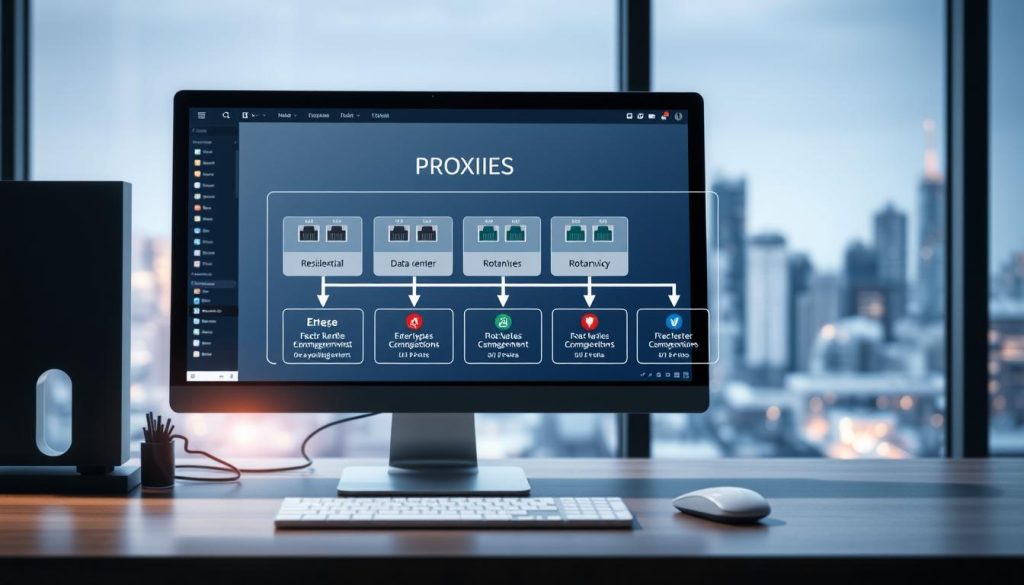
To test proxies well, you must understand their types and testing needs. Proxies differ in protocol, IP origin, and rotation. Each needs a special testing method.
HTTP vs HTTPS vs SOCKS Proxies
HTTP, HTTPS, and SOCKS proxies vary in protocol and encryption. HTTP proxies work for basic web browsing. HTTPS proxies add extra encryption. SOCKS proxies handle different traffic types.
Testing these proxies checks their protocol and encryption.
Residential vs Datacenter Proxies
Residential proxies use real device IPs, making them seem more real. Datacenter proxies come from servers in data centers and are easier to spot. Testing residential proxies checks their blending ability. Datacenter proxies are tested for speed and reliability.
Rotating vs Static Proxies
Rotating proxies change IPs often, boosting anonymity. Static proxies keep the same IP, good for stable tasks. Testing rotating proxies looks at their frequency and consistency. Static proxies are tested for stability and uptime.
Key Metrics You Should Evaluate in Proxy Testing
Proxy testing is more than just connecting. It’s about checking important metrics that affect your online actions. You need to look at several key indicators to make sure they fit your needs.
Speed and Response Time Benchmarks
The first thing to check is the speed and response time of the proxy. A good proxy loads pages fast and answers quickly. You can compare it to known standards or other proxies to see how it stacks up.
Uptime and Reliability Standards
Uptime and reliability are also key. A reliable proxy should be online when you need it, with little downtime. Watch the proxy’s uptime and see if it keeps a steady connection.
Anonymity Level Verification
Anonymity level verification is crucial too. You might need a proxy that keeps your info private. Check if the proxy hides your IP address or other details.

“The right proxy can significantly enhance your online security and performance, but only if you test it thoroughly.”
By checking these key metrics, you can pick a proxy that fits your needs. It should offer the right performance and security.
Effective Ways to Test Proxies: Manual Methods
Manual methods are key for checking if proxies work well. You can test proxies in many ways. This helps make sure they are safe, fast, and reliable.
Browser-Based Testing Techniques
Testing proxies in a browser is easy. You can use browser tools and extensions to check how well proxies work.
Using Browser Developer Tools
Browser developer tools let you see if your proxy is working right. You can look at request headers and response data. This tells you if the proxy is doing its job.
Browser Extension Testing Methods
Browser extensions, like proxy switchers, make testing easier. They let you quickly switch between proxies and check their speed.
Command Line Testing with Curl and Ping
For a technical test, use curl and ping from the command line. Curl sends HTTP requests through the proxy. Ping checks how fast the proxy responds. These tools help spot any problems quickly.

Testing Proxy Authentication Mechanisms
Proxy authentication is very important. You must check that your proxy’s login works right. This ensures safe access to your proxy. You need to test the login protocol, username, and password.
Using these manual tests, you can fully check your proxies. This makes sure they work as they should.
Leveraging Automated Tools for Proxy Verification
Automated tools have changed how we check proxies. They make the process faster and more detailed. You can test many proxies at once. They check things like speed, how well they hide your identity, and where they seem to be.
Online Proxy Checker Services
Online proxy checker services are quick and simple. You don’t need to install anything. They look at how fast proxies are and how well they hide your identity.
Free vs Premium Proxy Testing Platforms
Free platforms are available, but they might not be as good. They often have fewer features and less accuracy. Premium platforms, though, offer more detailed tests and better support.
Multi-Parameter Testing Tools
Multi-parameter tools let you check proxies in many ways. They look at speed, how often they work, and where they seem to be. This helps you find the best proxies for you.
Desktop Applications for Comprehensive Testing
Desktop apps give you a deeper test. You can test proxies more thoroughly and set up tests just how you like. They’re great for detailed checks.
API-Based Testing Solutions
API-based solutions let you add proxy testing to your current setup. This makes testing automatic and easier. It’s perfect for big proxy setups.
Using these tools, you can make sure your proxies work well. This means you have a reliable and efficient proxy system.
- Automated testing tools enhance efficiency and accuracy.
- Online proxy checkers offer convenience and ease of use.
- Desktop applications provide comprehensive testing capabilities.
- API-based solutions enable integration with existing infrastructure.
How to Verify Proxy Anonymity and Security
Checking if your proxy keeps your online identity safe is key. To make sure your proxy is hiding your real IP, you can run some tests. These tests help see if your real IP and other info are not shared through the proxy.
Conducting IP Leakage Tests
IP leakage means your real IP shows up on websites, even with a proxy. To find out if this is happening, visit sites that show your IP. See if it’s the same as your proxy’s IP.
Identifying and Preventing WebRTC Leaks
WebRTC can sometimes show your real IP. To stop this, turn off WebRTC in your browser. Or, use extensions that block WebRTC requests.
DNS Leak Detection and Mitigation
A DNS leak shows when your DNS queries go outside the proxy. This can reveal what you’re browsing. To spot DNS leaks, use online tools. Fixing it means setting up your system or proxy to send DNS queries through the proxy.
| Leak Type | Description | Mitigation |
|---|---|---|
| IP Leakage | Real IP address is visible | Use a secure proxy, check IP on test sites |
| WebRTC Leaks | WebRTC reveals real IP | Disable WebRTC or use blocking extensions |
| DNS Leaks | DNS queries outside proxy | Route DNS through proxy, use secure DNS |
By taking these steps, you can greatly improve your online safety and privacy with proxies.
Measuring and Optimizing Proxy Speed
To get the most out of your proxy, you need to measure and optimize its speed. Proxy speed is key for smooth online activities. You must evaluate several important metrics.
Bandwidth Testing Methodologies
Bandwidth testing shows your proxy’s capacity. Use tools like iPerf or Speedtest for this. They give you upload and download speed insights, helping improve your proxy’s performance.
Latency Measurement Techniques
Latency is the delay between sending a request and getting a response. Measuring it shows how fast your proxy responds. Use Ping and Curl to check latency.
Evaluating Connection Stability Under Load
Connection stability is vital, even when lots of requests are made. Test this by simulating many requests and see how your proxy does. This helps find any problems.
| Methodology | Description | Tools |
|---|---|---|
| Bandwidth Testing | Measures the upload and download speeds | iPerf, Speedtest |
| Latency Measurement | Measures the delay between request and response | Ping, Curl |
| Connection Stability | Tests how well the proxy handles multiple requests | Custom Scripts, Load Testing Tools |
By understanding and optimizing these metrics, you can greatly improve your proxy’s performance. Regular testing and monitoring are crucial for keeping your proxy speed at its best.
Verifying Geo-Location Accuracy of Proxies
Checking if your proxies are in the right place is key. This lets you get to content locked to certain areas. It’s vital to make sure your proxies show the right location.
Tools to Confirm Proxy Location Claims
There are many tools to check your proxy’s location. Here are a few:
- IP Geolocation APIs: Tools like IP-API or ipdata give detailed location info.
- Proxy testing websites: Sites like ProxyCheck or WhatIsMyIP have tools for testing proxy locations.
- Command-line tools: curl and dig can check the proxy’s location by comparing IP addresses.
Testing Access to Geo-Restricted Content
To make sure your proxies work, test them with geo-restricted content. Here’s how:
- Use the proxy to get to a service that’s locked to a certain area.
- Check if you can get the content and if the proxy’s location is right.
- Do this for different services to make sure it works every time.
By doing these steps, you can be sure your proxies are accurate. This helps them meet your needs for targeting specific areas.
Efficient Methods for Batch Testing Multiple Proxies
To manage lots of proxies well, you need good batch testing methods. Testing many proxies at once saves time and resources. It helps check if they work well and fast.
Creating and Using Proxy Rotation Scripts
Proxy rotation scripts are great for batch testing. They let you test many proxies one after another. This way, you can find out which ones work and which don’t.
You can use a Python script with Requests and RotatingProxy to switch between proxies.
Implementing Parallel Testing Strategies
Parallel testing means testing many proxies at the same time. This makes testing much faster. You can use tools like GNU Parallel or programming languages that support concurrency.
Organizing and Analyzing Test Results at Scale
Testing lots of proxies means you need to organize and analyze results well. Use databases or spreadsheets to keep track of how each proxy performs. For example, you can make a table like this:
| Proxy IP | Response Time | Status |
|---|---|---|
| 192.168.1.1 | 200ms | Active |
| 192.168.1.2 | 500ms | Inactive |
| 192.168.1.3 | 150ms | Active |
A proxy expert says, “Good batch testing is not just fast. It’s about having a strong system for managing and checking proxy performance.”
“The key to successful proxy management lies in the ability to quickly identify and replace non-functioning proxies.” –
Troubleshooting Common Proxy Testing Challenges
Troubleshooting is key in proxy testing. It helps find and fix problems. This makes sure your proxies work well.
Resolving Authentication Failures
Authentication failures are common. To fix them, check your login details. Make sure the proxy server is set up right. Verify that your username and password are correct and match the proxy’s needs.
Addressing Connection Timeouts and Drops
Connection issues can hurt your proxy’s performance. To solve this, test your internet connection. Also, make sure the proxy server is working well. You might need to change your timeout settings or use a better proxy.
Dealing with Inconsistent Performance Results
Unpredictable results can be annoying. To fix this, watch your proxy’s performance over time. Look for patterns or links to certain actions or times. Test your proxy in different ways to find the problem.
By tackling these common problems, you make your proxy testing better. This gives you reliable results and helps you improve your proxy setup.
Implementing Ongoing Proxy Monitoring Best Practices
To keep your proxies working well, it’s key to monitor them constantly. This means doing regular checks and setting up alerts for any problems. This way, you can fix issues fast.
Establishing Regular Testing Schedules
Testing your proxies often is very important. It helps find problems early on. This keeps your proxies running smoothly. Use both manual and automated tests to cover everything.
Setting Up Automated Alerts for Failed Proxies
Alerts for proxy failures are a must. They let you act fast when something goes wrong. Set up your tools to send you emails or texts when a proxy fails.
Conclusion: Building Your Comprehensive Proxy Testing Strategy
Creating a solid proxy testing strategy is key to reliable and fast proxies. Knowing the different proxy types helps you check their speed, uptime, and privacy. This ensures your proxies work well.
Use both manual and automated tests to check proxy performance. Manual tests, like browser checks and command-line tools, are simple. Automated tools, like online checkers and apps, test more thoroughly and quickly.
To build a strong proxy testing plan, keep an eye on your proxies all the time. Set up regular tests and alerts for any issues. Following best proxy testing practices helps keep your proxy system in top shape.
With a detailed proxy testing strategy, you can make your proxies better, safer, and more reliable. This boosts your online activities and keeps your proxy system strong.