FTC disclaimer: This post contains affiliate links and I will be compensated if you make a purchase after clicking on my link.
Did you know using a secure proxy server can boost your online safety? Millions of people worldwide use proxy servers to keep their online identity safe.
It’s important to know what a proxy server location is and how to find it. A proxy server hides your IP address. This makes it tough for others to see what you’re doing online.
Finding a reliable proxy server address is key to online security. This guide will help you find one. You’ll learn how to keep your online presence safe.
Key Takeaways
- Understanding the role of a proxy server in online security
- Learning how to locate a secure proxy server
- Discovering the benefits of using a proxy server
- Identifying the right proxy server location for your needs
- Enhancing your online privacy with a proxy server address
What Is a Proxy Server?
A proxy server is like a guard between you and the internet. It keeps your real IP address hidden. This lets you surf the web safely and see content that’s not available in your area.
Definition and Basic Functions
A proxy server is a computer or software that helps with internet requests. It does a few main things:
- It saves often-used websites to make browsing faster.
- It blocks some websites or content.
- It changes your requests or the server’s answers to keep you anonymous.
With proxy server software, you can make your device use the proxy. This changes the IP address others see.
How Proxy Servers Work
When you set up a proxy, your requests go to the proxy first. Then, it sends them to the server you want. When the server answers, the proxy sends the reply to you.
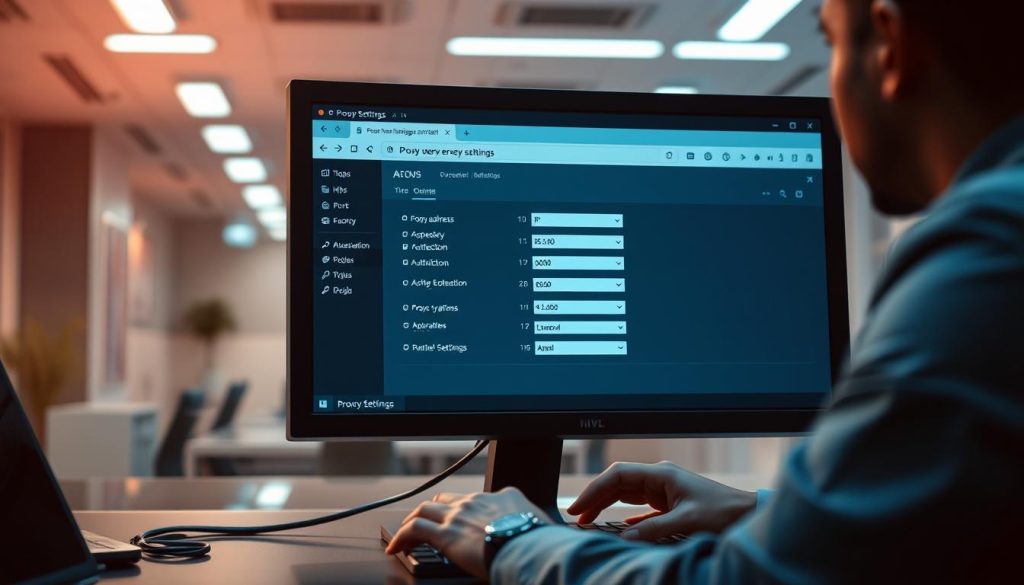
This hides your IP and lets you see content blocked in your area. To use a proxy server well, you need to know its address. You also need to set up your device or browser right, adjusting the proxy server settings as needed.
Why You Might Need to Find a Proxy Server Address
Knowing why you need a proxy server is key for a safe online time. You might need one for many reasons. These include keeping your online life private or getting content not in your area.
Enhanced Privacy and Security
One big reason is for better online privacy and safety. A proxy server hides your IP address. This makes it hard for others to see what you’re doing online. It’s very useful when using public Wi-Fi, which is often not safe.
Accessing Geo-Restricted Content
Another big reason is to get content blocked in your area. Many streaming sites and websites are not available everywhere. By finding a proxy server location in a place where it’s available, you can see it. Look for a free proxy server list or choose a best proxy server provider for this.

Bypassing Network Restrictions
Proxy servers also help get past network blocks. This could be at work or because of your ISP. By setting up your device to use a proxy server, you can get past these blocks. This lets you access blocked sites or speeds up your internet.
Using a proxy server has many benefits:
- It makes your online life safer
- It lets you see content blocked in your area
- It helps you get past network blocks
Types of Proxy Servers You Should Know
It’s important to know the different types of proxy servers. Each type has its own use and benefits. Choosing the right one is key for your needs.
HTTP Proxies
HTTP proxies are made for HTTP traffic. They’re great for web browsing and can speed up your internet. HTTP proxies are simple and work well for managing web traffic.
SOCKS Proxies
SOCKS proxies are more flexible and can handle many types of traffic. They work at a lower level than HTTP proxies. SOCKS proxies are good for routing different internet traffic through a proxy.
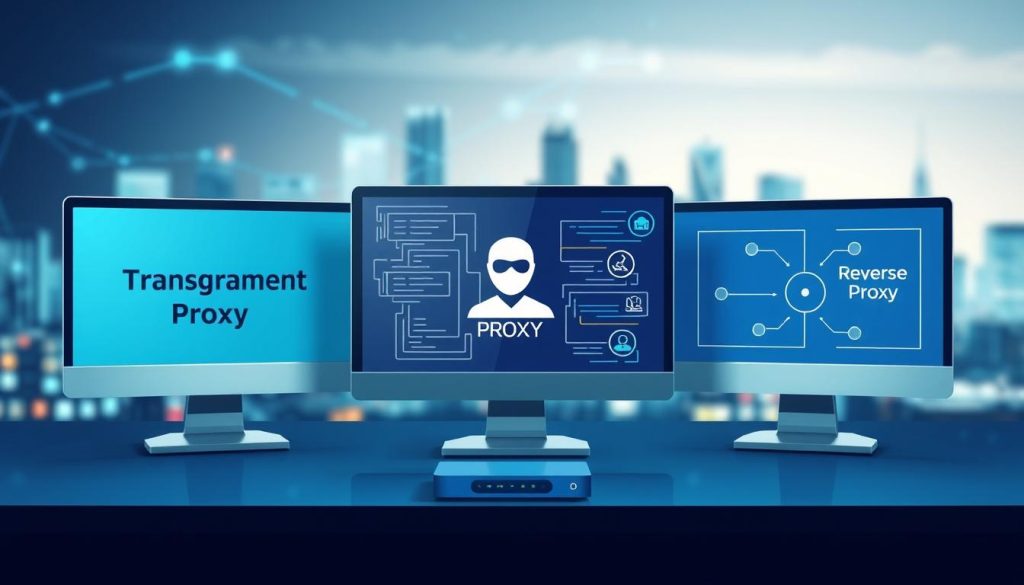
Transparent, Anonymous, and Elite Proxies
Proxy servers can also be sorted by how private they are. This is important for those who value their online privacy.
Transparent Proxies
Transparent proxies show your IP address to the server. They’re used for caching and content filtering.
Anonymous Proxies
Anonymous proxies hide your IP but may still show they’re proxies. They offer some privacy.
Elite Proxies
Elite proxies keep your identity completely hidden. They’re perfect for those who need total privacy.
Residential vs. Datacenter Proxies
Residential proxies are tied to real locations and seem more legitimate. Datacenter proxies are faster but might get blocked more often.
Choosing the right proxy server depends on your needs. Whether it’s for browsing, accessing blocked content, or staying anonymous. Knowing the types helps you pick the best one for you.
How to Find a Proxy Server Address
You can find a proxy server address in a few ways. You can use free proxy server lists, pay for a service, or set up your own. Each option has its own good and bad points.
Using Free Proxy Server Lists
Free proxy server lists are easy to find online. They are made by people or groups and posted on websites. They can be a quick fix.
Popular Free Proxy Directories
Some sites focus on listing free proxies. They can be a good place to start. But, be careful about their trustworthiness and safety.
Limitations of Free Proxies
Free proxies have downsides. They might be slow, unreliable, and risky for your security. Knowing these issues is key before using them.
Paid Proxy Services
Paid proxy services are safer and more reliable than free ones. They offer many proxy servers with better performance and support.
When picking a paid proxy service, look at the provider’s reputation. Also, check the quality of their proxies and their customer support.
Setting Up Your Own Proxy Server
If you’re tech-savvy, setting up your own proxy server is an option. It lets you control the server’s settings and security.
Setting up a proxy server means picking the right software and configuring it. It’s a bit complex but gives you more control.
Top Reliable Sources for Proxy Server Addresses
Finding a secure proxy server starts with the best sources. You can choose from commercial providers or free lists. Each has its own benefits.
Commercial Proxy Providers
Commercial providers offer strong, secure proxy servers. They provide quality services with many advantages.
BrightData (formerly Luminati)
BrightData leads with its big proxy network. They have residential and mobile proxies for top anonymity and reliability. It’s a favorite for businesses because of its solid setup and flexible prices.
Oxylabs
Oxylabs is known for its wide proxy services. They have data center and residential proxies for different needs. This includes web scraping and protecting brands.
SmartProxy
SmartProxy is easy to use with its big proxy network. They focus on residential proxies and have good prices. This makes them a hit for both people and companies.
Free Proxy Server Lists
Free proxy lists are good for saving money or quick fixes. But, be careful because free proxies can be risky.
Trusted Websites
Some sites list free proxy servers. They give IP addresses, ports, and how private they are. But, these lists might not always be current or safe.
Community Forums and Resources
Online forums and resources are also good for free proxy servers. People share their experiences and tips. This helps others make better choices.
When picking a proxy, think about security, speed, and reliability. A secure proxy server boosts your online privacy and safety.
Using best proxy server providers like BrightData, Oxylabs, and SmartProxy makes browsing safer. They have reliable options for personal or business use.
Verifying Proxy Server Reliability and Speed
To make sure your proxy server works well, test its reliability and speed. A good proxy server keeps your connection stable and safe. It also makes sure your browsing is fast and smooth.
Testing Tools and Websites
Many tools and websites can check your proxy server’s reliability and speed. These tools spot any problems and make sure your proxy is set up right.
Proxy Checker Tools
Proxy checker tools check if a proxy server is working right. They look at how fast the server responds, its anonymity level, and if it can connect to websites. These tools help see if your proxy server is working as it should.
Speed Testing Methods
To check your proxy server’s speed, use online speed testing tools. These tools measure how long it takes for data to go from your device to the proxy and back. This shows how much your internet speed is affected by the proxy.
What Makes a Good Proxy Server
A great proxy server balances reliability, speed, and anonymity. Look at its location, type (like HTTP or SOCKS), and encryption level. An anonymous proxy server is key for those who want more privacy.
Knowing how to use a proxy server well is important. Setting up proxy server settings right lets you use the proxy for browsing, streaming, and more.
| Proxy Server Characteristics | Ideal Features |
|---|---|
| Reliability | High uptime, stable connection |
| Speed | Fast data transfer rates |
| Anonymity | High level of anonymity, encryption |
A cybersecurity expert says, “A reliable proxy server is key for safe browsing. It’s not just about hiding your IP. It’s about keeping your connection secure and fast.”
“The effectiveness of a proxy server depends on its ability to maintain a stable and secure connection. Testing its reliability and speed is crucial.”
Configuring Proxy Settings on Different Devices
Setting up proxy settings is key to using a proxy server well on many devices. You can do this on Windows PCs, macOS devices, or mobile phones. Knowing how to set up proxy settings can make your browsing safer and better.
Windows Proxy Setup
On Windows, you can set up proxy settings in two main ways. You can do it through system-wide settings or the command line.
System-Wide Settings
To set up proxy settings for all of Windows, go to Settings > Network & Internet > Proxy. Here, you can turn on the proxy server and add its address and port. This works for most apps and browsers.
Command Line Configuration
For those who like the command line, Windows lets you set proxy settings that way too. Use the netsh command to set up your proxy. For example, type netsh winhttp set proxy and then add your proxy server details.
macOS Proxy Configuration
On macOS, you set up proxy settings in System Preferences. Go to System Preferences > Network, pick your network, and click Advanced. Then, go to the Proxies tab to add your proxy server details for different protocols.
Mobile Device Proxy Settings
Mobile devices, like Android or iOS, let you set up proxy settings, mainly for Wi-Fi.
Android Configuration
On Android, go to Settings > Wi-Fi, long-press on your network, and choose Modify network. Tap Advanced options and switch to manual proxy. Then, add your proxy server’s hostname and port.
iOS Configuration
For iOS devices, go to Settings > Wi-Fi, tap on your network, and set up the HTTP proxy by picking Manual. Enter your proxy server details as needed.
Browser-Specific Proxy Setup
Some browsers let you set up proxy settings on your own, separate from system settings.
Chrome and Firefox
In Chrome, go to Settings > Advanced > System > Open your computer’s proxy settings to set up proxy. Firefox users can go to Options > General > Network Settings to set their proxy.
Safari and Edge
For Safari, proxy settings are set through System Preferences, just like on macOS. Microsoft Edge, being based on Chromium, sets up proxy the same way as Chrome.
Security Considerations When Using Proxy Servers
It’s important to know the security risks of proxy servers for safe browsing. Proxy servers can boost privacy and security. But, they also bring new dangers, mainly with free proxy services.
Potential Risks of Free Proxies
Free proxies can be very risky. They might log your data or even do bad things.
Data Logging Concerns
Some free proxies record your data. They might sell it or use it for ads. This hurts your privacy and can cause trouble.
Malicious Proxy Servers
There’s also the chance of using a bad proxy server. These can harm your device or steal your info.
Encryption and Additional Protection Measures
To avoid these dangers, you need extra safety steps. Encryption is key to keeping your data safe with a proxy server.
HTTPS and SSL/TLS
Choose proxy servers that use HTTPS and SSL/TLS. This keeps your data safe on its way to the proxy server.
Two-Factor Authentication
Two-factor authentication is also crucial. It adds an extra step to keep your accounts safe from hackers.
Knowing these security tips helps you use proxy servers safely and well.
Troubleshooting Common Proxy Server Issues
Fixing your proxy server is key to a smooth online experience. When you set up proxy server settings, you might face some problems. These can make your browsing slow or unreliable.
Connection Problems
Setting up a proxy server can sometimes cause connection issues. First, check your internet connection. Make sure your proxy server address is right.
Also, confirm that the proxy server is working. And that you’ve typed in the correct proxy server address.
Speed and Performance Issues
Slow speeds can be due to the proxy server’s location or its size. You might want to try a different proxy server. Or, you could upgrade your service.
Also, tweaking your proxy server settings can boost your speed.
Authentication Errors
Authentication errors happen when your login details are wrong. Or when the proxy server doesn’t recognize them. Check your username and password again.
By fixing these common problems, you can make your proxy server better. Regular checks on your setup and the proxy server’s status can help avoid these issues.
Legal and Ethical Considerations
Exploring proxy servers means knowing the legal and ethical sides. Using a proxy can lead to legal and ethical issues. This depends on how it’s used and where it’s located.
Understanding Terms of Service
Every proxy server provider has rules for using their service. It’s key to read and get these rules to avoid legal trouble. For example, using a proxy to get around content restrictions might break the provider’s rules. Picking a secure proxy server that’s open about its rules helps you follow them.
Responsible Proxy Usage
Using proxy servers responsibly means following the law and respecting others’ rights. This means not using proxies for illegal stuff or to get around rules for good reasons. When looking for a best proxy server provider, choose one that’s ethical and cares about privacy. This is important if you’re worried about your proxy server location.
| Aspect | Legal Consideration | Ethical Consideration |
|---|---|---|
| Terms of Service | Compliance with provider’s terms | Respecting content provider’s restrictions |
| Proxy Usage | Avoiding illegal activities | Not circumventing legitimate restrictions |
Alternatives to Traditional Proxy Servers
If traditional proxy servers aren’t meeting your needs, consider these alternatives. Proxy servers offer some anonymity and access to geo-restricted content. But, other technologies can give you more online security and privacy.
VPN Services
Virtual Private Network (VPN) services encrypt your internet traffic. They act as a secure proxy server alternative. Unlike traditional proxy servers, VPNs protect all your internet traffic, not just web browsing.
Popular VPN services include ExpressVPN, NordVPN, and Surfshark. They offer features like kill switches and split tunneling.
| VPN Service | Key Features | Price |
|---|---|---|
| ExpressVPN | High-speed servers, 24/7 support | $12.95/month |
| NordVPN | Double VPN, ad blocker | $11.95/month |
Tor Network
The Tor network is a free, open-source project. It provides anonymous browsing by routing traffic through multiple nodes. It’s great for privacy but can be slower than VPNs.
“Tor is a great way to maintain your anonymity online, but it’s not foolproof.” –
Smart DNS Services
Smart DNS services help you access geo-restricted content. They redirect only the DNS queries for geo-restricted services. This makes them a lightweight alternative for streaming and accessing region-locked content.
In conclusion, while traditional proxy servers have their uses, alternatives like VPN services, the Tor network, and Smart DNS services can offer more robust solutions for online privacy and security. When choosing an alternative, consider your specific needs and the level of security you require.
Conclusion
Now you know how to find a proxy server address. You also know about the different types of proxy servers. It’s key to pick a secure proxy server location.
A good proxy server boosts your online security and privacy. When looking for a proxy, choose a trusted service. This keeps your data safe and your online identity hidden.
You can find a proxy server address in many ways. This includes free lists or paid services. Make sure to set up your proxy correctly on your device.
This is true for Windows, macOS, or mobile devices. Doing this lets you surf the web safely and access content blocked in your area.
By following this guide, you’re ready to find a reliable proxy server. You’ll enjoy a safer online experience.