FTC disclaimer: This post contains affiliate links and I will be compensated if you make a purchase after clicking on my link.
The internet uses a complex system of protocols. At its heart is the Internet Protocol. With over 4.3 billion people online, we need unique identifiers for devices.
Did you know the most used protocol is Internet Protocol Version 4 (IPv4)? It has been key to the internet since the 1980s.
Knowing about IPv4 is key for anyone in computer networks. It helps devices talk to each other by giving each a unique IP address.
Key Takeaways
- IPv4 is the most widely used Internet protocol.
- It provides a unique IP address for each device.
- Understanding IPv4 is crucial for working with modern computer networks.
- IPv4 facilitates communication over the internet.
- It has been the backbone of the internet since the early 1980s.
What Is IPv4 and Why It Matters
Understanding IPv4 is key to knowing how the internet works. IPv4, or Internet Protocol version 4, lets devices talk to each other online. It has been the main way we communicate online for many years.
The Foundation of Internet Communication
IPv4 is the base of internet talk. It gives each device a special address to find and talk to others. It’s fast and works well because it doesn’t need a direct connection to send data.
IPv4’s role in making devices talk is huge. It lets devices from different systems and places talk together, making a big global network.
Key Characteristics of IPv4
IPv4 uses a 32-bit addressing system. This means it can only have a certain number of addresses. Even with this limit, IPv4’s simplicity and use have made it last a long time.
IPv4’s connectionless protocol and how it sends data make it efficient. These features are important for IPv4’s role in the internet, helping many services work well.
The History and Evolution of IPv4
IPv4, or Internet Protocol version 4, has a long history. It was first talked about in 1981 by the Internet Engineering Task Force (IETF) in RFC 791. This was a big step in the internet’s growth.
Origins and Development
IPv4 was made to help networks and devices connect to the internet. It was influenced by earlier systems. The key characteristics of IPv4, like its 32-bit address space, were made to fit the growing internet.
Major Milestones in IPv4 Implementation
There have been key moments in IPv4’s journey. Some are:
- IPv4 addresses were given to different groups, and rules for them were set.
- Subnetting and Classless Inter-Domain Routing (CIDR) were created to use addresses better.
- IPv4 became very common for internet use, making it a key part of today’s networks.

Knowing about IPv4’s history helps us understand its importance today. It also shows the challenges it faces with IPv6.
Understanding the IPv4 Addressing System
To understand networking, you need to know the IPv4 addressing system. It lets devices talk to each other. IPv4 addresses are made of 4 bytes, or 32 bits. This is key for identifying and talking on a network.
IPv4 Address Structure and Format
IPv4 addresses are shown in dotted decimal notation. This makes them easy to read and use. It’s important for both people and network devices.
Dotted Decimal Notation
In dotted decimal notation, each address has four parts. For example, 192.168.1.1 is simple to understand. This way is easier for humans to see the 32-bit binary address.
Binary Representation
Computers see IPv4 addresses in binary. The address 192.168.1.1 looks like 11000000.10101000.00000001.00000001 in binary. Knowing both forms is key for setting up and fixing networks.
Public vs. Private IPv4 Addresses
IPv4 addresses are public or private. Public addresses are for devices on the internet. Private addresses are for local networks.
| Address Type | Description | Example |
|---|---|---|
| Public IPv4 Address | Used for internet-accessible devices | 8.8.8.8 |
| Private IPv4 Address | Used within local networks | 192.168.1.1 |
When to Use Each Type
Use public addresses for servers or devices on the internet. Use private addresses for local network devices. This is important for network safety and setup.
IPv4 Classes Explained
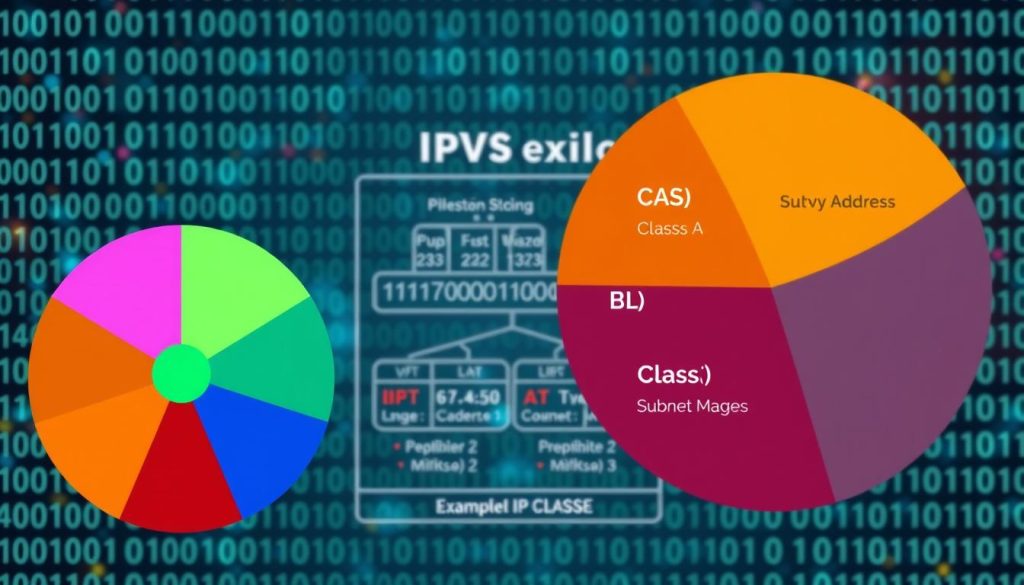
IPv4 addresses are grouped into different classes. Each class has its own role in network management. Knowing these classes helps in designing and managing networks well.
Class A, B, and C Networks
IPv4 addresses are mainly split into three classes: A, B, and C. These classes vary in host support and network size.
Class A networks are huge. They have a few networks but lots of hosts. They’re best for big organizations or ISPs.
Class B networks balance network and host numbers. They fit medium to large organizations well.
Class C networks are many but support fewer hosts. They’re good for small groups or small network parts.
Address Ranges and Use Cases
The address ranges for these classes are:
- Class A: 0.0.0.0 to 127.255.255.255
- Class B: 128.0.0.0 to 191.255.255.255
- Class C: 192.0.0.0 to 223.255.255.255
Knowing these ranges and subnet masks is key for network setup and fixing problems.
Class D and E Special Purpose Addresses
IPv4 also has Class D and Class E addresses. Class D is for multicasting, sending data to many places at once. Class E is for testing and not used in regular networks.
Class D addresses are from 224.0.0.0 to 239.255.255.255. Class E addresses are from 240.0.0.0 to 254.255.255.255.
Mastering IPv4 Subnetting
Subnetting in IPv4 is key for better network performance. It divides a network into smaller parts. This improves security, reduces congestion, and makes management easier.
Subnet Masks and CIDR Notation
A subnet mask is a 32-bit number that shows a subnet’s scope. It’s used with an IPv4 address to find the network and host parts. It’s shown in dotted decimal, like an IP address.
CIDR (Classless Inter-Domain Routing) notation is another way to show subnet masks. It uses a slash followed by the number of leading 1s in the mask. For example, /24 shows a subnet mask of 255.255.255.0.
Step-by-Step Subnetting Calculation
To subnet an IPv4 network, you do several steps. You figure out the network and host parts and count the hosts.
Determining Network and Host Portions
To find the network and host parts, you use the subnet mask with the IP address. This gives you the network address.
- Convert the IP address to binary.
- Convert the subnet mask to binary.
- Do a bitwise AND operation between them.
- The result is the network address.
Calculating Available Hosts
To find hosts, use the formula 2^n – 2. Here, n is the host bits. Subtract 2 for the network and broadcast addresses.
“Understanding subnetting is crucial for network administrators to efficiently manage IP addresses and optimize network performance.”
Practical Subnetting Examples
Let’s say you have a Class C network with address 192.168.1.0 and subnet mask 255.255.255.0. You want to make smaller subnets.
Change the subnet mask to 255.255.255.192. This makes 4 subnets, each with 62 hosts.
Subnetting is a powerful tool for network admins. It lets you customize your network. By learning IPv4 subnetting, you can make your network more efficient and secure.
Configuring IPv4 on Your Devices
Setting up IPv4 on your devices is key for a stable network. It lets your devices talk to each other on the network. This is true for both home networks and business setups.
Setting Up IPv4 on Windows Systems
To set up IPv4 on Windows, go to the network settings. You can find this by opening the Control Panel, then “Network and Sharing Center.” Click on “Change adapter settings” and right-click on your network. Choose “Properties” to get to the IPv4 settings.
Static vs. Dynamic Configuration
Windows lets you choose between static and dynamic IP settings. Static IP means you manually set the IP address and other details. DHCP does it for you. Static is best for servers, while DHCP is easier for clients.
Configuring IPv4 on Mac and Linux
For Mac and Linux, you need to go to the network settings. On a Mac, it’s System Preferences > Network. Choose your network interface and click “Advanced” for IPv4 settings. On Linux, it depends on your system, but you can edit files or use a GUI.
Troubleshooting Common IPv4 Configuration Issues
Issues like IP address conflicts and wrong subnet masks can happen. Use tools like ping and ipconfig (on Windows) or ifconfig (on Mac and Linux) to check your settings. They help you see if your network is working right.
By knowing how to set up IPv4, your devices will talk to each other well. This works for Windows, Mac, or Linux.
IPv4 Routing and Packet Delivery
Understanding IPv4 routing is key to managing data packet delivery across networks. It helps you see how data moves from source to destination. This knowledge is vital for network communication.
How IPv4 Routing Works
IPv4 routing uses routing tables to send packets between networks. Think of these tables as maps for routers. They help decide the best path for packets.
Routers update their tables often. This keeps packets moving smoothly, even with network issues.
IPv4 Headers and Packet Structure
The IPv4 header holds important routing info. It has fields like source and destination IP addresses, packet length, and TTL. Knowing this helps understand packet processing by routers.
| Field | Description | Size (bits) |
|---|---|---|
| Version | IP version | 4 |
| IHL | Header length | 4 |
| TTL | Time to live | 8 |
| Source IP | Source IP address | 32 |
| Destination IP | Destination IP address | 32 |
Network Address Translation (NAT)
NAT lets many devices share one public IP address online. You can set up NAT on your router. This way, your private network can talk to the internet.
Port Forwarding Techniques
Port forwarding works with NAT to let outsiders reach your private network. By setting up port forwarding rules, you can direct traffic to specific devices.
For example, you can make a web server on a private IP address accessible online. Just forward HTTP requests on port 80 to your server.
IPv4 vs. IPv6: Understanding the Differences
When you dive into internet protocols, you’ll see IPv4 and IPv6. They have their own good points and not-so-good points. The main differences are in their address space, security, and how well they perform.
Address Space Comparison
IPv4 and IPv6 differ a lot in address space. IPv4 has 32-bit addresses, which means it can handle about 4.3 billion unique addresses. IPv6, with 128-bit addresses, can handle 3.4 x 10^38 unique addresses. This huge difference means IPv6 won’t run out of IP addresses anytime soon.
Security and Performance Considerations
IPv6 was made with security in mind. It has IPsec as a must-have for security. IPv4 also supports IPsec but doesn’t need it. IPv6 is also seen as more efficient because of its simpler header. This makes routers work less hard.
Transition Technologies
As the internet grows, moving from IPv4 to IPv6 is key. There are tools to help with this change, like:
- Dual Stacking: Running both IPv4 and IPv6 on devices for easy switching.
- Tunneling: Putting IPv6 packets inside IPv4 packets to go through IPv4 networks.
- Translation: Using NAT64 to change IPv6 addresses to IPv4 addresses.
Knowing these differences and tools is important for network managers and anyone setting up networks.
Conclusion: The Future of IPv4 in a Changing Internet
The internet keeps changing, and IPv4 is still key. Even though IPv6 is growing, IPv4 is still used a lot. It will keep being important for the internet’s future.
IPv4’s future is linked to the internet’s growth. There are always new ways to make it useful. Knowing about IPv4 helps keep the internet safe and working well.
IPv4 and IPv6 will work together for a while. They each have their own jobs. As technology gets better, how we use IPv4 will change, but it will always be important.
The future of IPv4 looks bright. New ideas like NAT and subnetting help use IPv4 better. This makes the internet more efficient.