FTC disclaimer: This post contains affiliate links and I will be compensated if you make a purchase after clicking on my link.
Are you looking for a hassle-free way to declutter your home and make some extra cash? Can you really turn your unwanted items into quick cash using Facebook’s platform?
Selling on Facebook Marketplace has become a popular choice for many. Sellers say achieving a 5-star rating is possible. This makes it a great option for those wanting to declutter and earn money.
To get started, it’s key to know the platform’s features and rules. This way, you can increase your chances of success. And make the most out of your selling experience on Facebook Marketplace.
Key Takeaways
- Understand Facebook Marketplace’s features and guidelines.
- Optimize your listings for better visibility.
- Engage with potential buyers promptly.
- Price your items competitively.
- Ensure safe and secure transactions.
Understanding Facebook Marketplace
When you start selling online, knowing Facebook Marketplace is key. It’s a place to buy and sell things close to you. It’s perfect for finding new customers or getting second-hand items.
What is Facebook Marketplace?
Facebook Marketplace is like a digital flea market. It lets people and businesses sell to new buyers. It’s a part of the Facebook app that helps you sell items in your area. This platform is great for real businesses to find new customers.

Benefits of Using Facebook Marketplace
Facebook Marketplace has many good points. Here are some main benefits:
- Local Reach: You can sell to people nearby, making it easier to find buyers.
- Ease of Use: It’s easy to use because it’s part of Facebook, even for those not tech-savvy.
- Competitive Advantage: Selling on Facebook Marketplace can help you stand out from others who don’t use it.
Let’s look at how it compares to other marketplaces:
| Feature | Facebook Marketplace | Other Marketplaces |
|---|---|---|
| Local Focus | Strong emphasis on local sales | Often broader, less local focus |
| Ease of Listing | Easy listing process | Can be more complex |
| Buyer Protection | Offers some level of protection | Varies by platform |
Knowing what Facebook Marketplace offers can help you sell better online.
Getting Started with Selling
Starting to sell on Facebook Marketplace is easy. First, make sure your Facebook profile is complete and current. This is the base for your selling work.
Setting Up your Facebook Marketplace Account
To start your Facebook Marketplace account, do this:
- Log in to your Facebook account and find the Marketplace icon. It’s on the left menu or by searching for “Marketplace.”
- Click the icon to get into the platform.
- Accept the terms and conditions if asked.
- Your account is now ready for buying and selling.
Facebook says, “Marketplace is a great way to buy and sell locally.”
“By using Marketplace, you’re helping to keep the buying and selling safe and trustworthy.”
Finding the Marketplace Feature
Finding Marketplace on Facebook is easy. Just:
- Look for the Marketplace icon on your Facebook homepage.
- Use the search bar at the top to find “Marketplace.”
- Check the menu on the left side of the Facebook homepage.
Key Features to Look For:
| Feature | Description |
|---|---|
| Marketplace Icon | Usually found on the left menu or by searching for “Marketplace.” |
| Search Bar | Allows you to search for specific items or categories. |
| Categories | Helps you navigate through different types of listings, such as electronics, furniture, etc. |
Once you find Marketplace, you can start exploring. You can browse listings, search for items, and list your own.
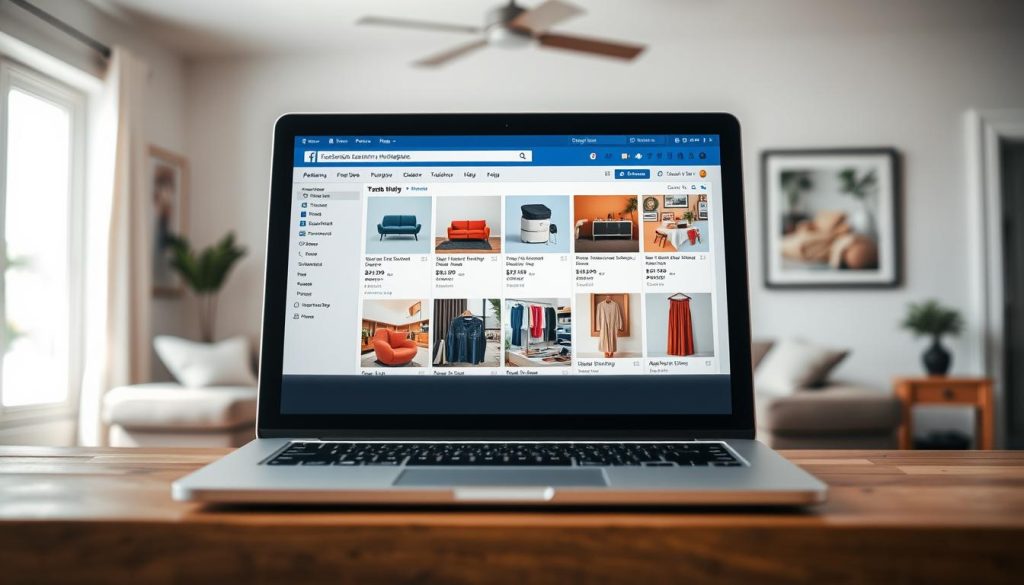
By following these steps, you’re ready to start selling on Facebook Marketplace. Keep your profile updated and answer questions quickly for a smooth selling process.
Researching Your Products
Knowing what you sell is key to success on Facebook Marketplace. It’s important to understand the value, demand, and competition of your items.
Identifying Items to Sell
To begin, find items you no longer need or can resell. Look around your home for gently used electronics, furniture, or clothes. You can also find items to resell at garage sales or thrift stores.
Think about the demand and pricing of your items. Use Facebook Marketplace to see what similar items sell for and how fast they sell.
Analyzing Competitors’ Listings
It’s crucial to analyze your competitors. Look at how they present their items, like descriptions and photos.
Here’s a simple table to help you analyze competitors’ listings:
| Competitor’s Listing | Price | Description Quality | Photo Quality |
|---|---|---|---|
| Listing 1 | $50 | Detailed | High |
| Listing 2 | $40 | Basic | Low |
| Listing 3 | $45 | Detailed | High |
By analyzing your competitors, you can adjust your pricing and presentation to be more competitive.
For example, Olivia Kayley made $7,500 by selling items on Facebook Marketplace. She stresses the importance of researching products and understanding demand. By doing your research, you can sell more successfully.
Creating Effective Listings
Creating great listings on Facebook Marketplace is all about a few key things. These elements help draw in buyers and boost sales. A good listing shows off your product well and earns trust from buyers.
Writing Compelling Descriptions
Writing a catchy description is key to grabbing buyers’ attention. Your description should be detailed. Include info like the product’s condition, features, and any extras.
Use simple language. Avoid jargon that might confuse people.
Tips for writing effective descriptions:
- Be honest and clear about the product’s state.
- Focus on the product’s best points and benefits.
- Use keywords buyers might search for.
Taking High-Quality Photos
Good photos are vital for showing off your product. They help make a strong first impression. Use good lighting, a clean background, and show it from different angles.
A picture is worth a thousand words. On Facebook Marketplace, it can mean the difference between a sale and a miss.
Setting the Right Price
Finding the right price for your product is tricky. You want to be competitive but also fair. Look at similar listings on Facebook Marketplace to see what others are asking.
Consider these when pricing your item:
- The original price and your listing price.
- The product’s condition compared to others.
- Any special features that might raise the price.
Managing Your Listings
Managing your listings well is key to selling on Facebook Marketplace. After creating your listings, keep them updated and visible to buyers.
Keeping Listings Fresh is vital. Facebook’s algorithm likes active and updated listings. This makes them more visible in search results. Regular updates can boost your listing’s visibility.
How to Edit and Update Listings
Editing and updating your listings is easy. Here’s how to do it:
- Navigate to your listing on Facebook Marketplace.
- Click on the listing you wish to edit.
- Select the “Edit” option.
- Make the necessary changes to your listing, such as updating the description, price, or photos.
- Save your changes.
Regularly reviewing and updating your listings keeps them relevant and attractive. This includes adjusting prices or updating descriptions to reflect the item’s condition.
Knowing When to Relist Items
Relisting an item can revive interest and attract new buyers. Consider relisting if:
- Your item hasn’t sold after a reasonable period.
- There’s been a change in market demand or prices.
- You want to give the item more visibility.
Before relisting, update the listing to reflect any changes. This improves visibility and appeal to buyers.
Effective listing management boosts your chances of selling on Facebook Marketplace. Regular updates and strategic relisting can greatly improve your selling experience.
Communicating with Buyers
To sell well on Facebook Marketplace, you must talk well with buyers. Good talk builds trust and answers questions. It also helps sell things faster.
Responding to Inquiries Promptly
When buyers want your item, they’ll message you. Answering these messages quickly is key. A fast reply shows you’re a good seller and keeps the buyer interested. Here’s how to answer:
- Check your messages often, best in a few hours.
- Be clear and short in your answers, give all needed info.
- If you can’t reply right away, set up auto replies to say when you’ll talk.
Negotiating Prices
When selling on Facebook Marketplace, talking price is common. Buyers might not want to pay the listed price. Being open to reasonable negotiations can help sell faster. Here’s how to negotiate:
- Be Flexible: Think about lowering your price if a buyer offers a good deal.
- Communicate Clearly: Tell why you priced it that way, and if you won’t go lower, say why.
- Use Data: If you’ve researched, use that to back up your price with similar listings or market data.
By answering fast and being open to price talks, you’ll do better on Facebook Marketplace. Good communication is vital for a good reputation and successful sales.
Ensuring Safe Transactions
To avoid scams, it’s key to follow safety tips when selling on Facebook Marketplace. This keeps both you and the buyer safe, making the deal smoother and more reliable.
Meeting in Public Places
When you meet a buyer, pick a public spot. This lowers the risk of danger and gives a fair place for both sides. Avoid meeting at your home or any isolated area. Good spots include coffee shops or police stations. Make sure you’re not alone and think about bringing someone with you.
Using Secure Payment Methods
Choosing safe payment ways is also vital. Facebook Marketplace suggests PayPal or Facebook Pay for payments. These options protect both buyers and sellers. Stay away from wire transfers or other unsafe payment methods without protection.
| Payment Method | Security Level | Buyer/Seller Protection |
|---|---|---|
| PayPal | High | Yes |
| Facebook Pay | High | Yes |
| Wire Transfer | Low | No |
By sticking to these tips, you can lower the risks of Facebook Marketplace deals. This makes the experience safer for everyone.
Handling Shipping Options
To sell easily on Facebook Marketplace, knowing your shipping choices is key. You can pick between local pickup and shipping. Each choice has its own benefits, fitting different sales.
Local Pickup vs. Shipping
Local pickup is best for big items or if buyers want to see the item first. It avoids shipping damage and saves money for both you and the buyer. But, shipping lets you sell to people far away, possibly selling faster.
Think about the item’s type, size, and weight when choosing. For delicate or expensive items, pick shipping with tracking and insurance.
Packaging Your Items for Delivery
If shipping, packing is key to get your item safely. Start with strong boxes that fit the item’s size and weight. Wrap fragile things well, and use bubble wrap or packing peanuts for extra safety.
Tips for Effective Packaging:
- Choose the right box size for your item to prevent movement.
- Seal boxes with packing tape, making sure seams are strong.
- Write the buyer’s and your return addresses clearly on the package.
- Think about buying shipping insurance to cover loss or damage.
By picking the right shipping and packing your items well, you make buying better for your customers. This helps you get a good name as a seller on Facebook Marketplace.
Building Your Reputation
Building trust with potential buyers is key. Your reputation on Facebook Marketplace can make or break a sale. As you sell more, your reputation will attract new customers and keep them coming back.
Encouraging Buyer Feedback
Getting positive feedback is crucial. It boosts your credibility and makes your listings more visible. To get feedback, offer great customer service, answer questions fast, and keep your promises.
After a sale, ask happy buyers for a review. Be polite and don’t be pushy. You can say, “If you’re happy with your purchase, I’d really appreciate a review on Facebook Marketplace.”
Understanding Seller Ratings
Seller ratings are key to your reputation. They’re based on buyer feedback and affect your visibility and trustworthiness. A high rating means more buyers will trust you and your listings.
| Seller Rating | Description | Impact on Visibility |
|---|---|---|
| 90% and above | Excellent service, high buyer satisfaction | High visibility, trusted by buyers |
| 80-89% | Good service, buyer satisfaction | Good visibility, generally trusted |
| Below 80% | Poor service, low buyer satisfaction | Low visibility, may be viewed with skepticism |
To keep a high seller rating, focus on excellent service. Be quick to respond to buyers, give accurate descriptions, and ship items fast. This will help you build a strong reputation and succeed on Facebook Marketplace.
Understanding your reputation’s importance is key. Take steps to build and keep it strong. Encourage feedback, know your seller ratings, and always improve your service to be a trusted seller.
Marketing Your Listings
Selling on Facebook Marketplace is more than just listing items. You need a good marketing plan. This means promoting your listings on different platforms.
Sharing on Social Media
Sharing your listings on social media is easy. Facebook lets you post your Marketplace items on your profile, groups, or pages. This way, more people can see what you’re selling.
Tips for sharing on social media:
- Use good photos to catch people’s eyes.
- Write interesting captions with important details like price and where it’s from.
- Try out Facebook’s Stories and Reels to mix up your posts.
Utilizing Facebook Groups
Facebook Groups are great for marketing. Join groups that match what you’re selling. This way, you can find people who might be interested.
Best practices for using Facebook Groups:
- Find and join groups that fit your items.
- Make sure to follow the group’s rules about posting.
- Get involved by commenting and adding value before you post your items.
| Marketing Strategy | Description | Benefits |
|---|---|---|
| Sharing on Social Media | Promote listings on personal profiles, pages, and groups. | Increased visibility, broader reach. |
| Utilizing Facebook Groups | Join and post in groups related to your niche. | Targeted audience, higher engagement. |
Using these marketing tips can really help your listings on Facebook Marketplace. You’ll get more people looking at your items. This means you have a better chance of selling them.
Troubleshooting Common Issues
To sell well on Facebook Marketplace, knowing how to fix common problems is key. Sellers face many issues, like scams and Facebook’s selling rules.
Dealing with Scams
Scams are a big worry when selling on Facebook Marketplace. To stay safe, learn about common scams and how to avoid them. Here are some tips:
- Be cautious of unusual payment methods: Never accept strange or suspicious payment ways.
- Verify buyer information: Check the buyer’s profile and reviews before you sell.
- Keep transactions transparent: Use Facebook’s messaging system to keep a record of talks.
Knowing Facebook’s Policies on Selling
It’s important to know Facebook’s selling rules to avoid problems. Learn about:
- Prohibited items: Make sure you’re not selling banned items by Facebook’s rules.
- Listing requirements: Your listings must follow Facebook’s rules, like accurate info and photos.
- Community standards: Follow Facebook’s community rules to keep selling positive.
Knowing these policies helps avoid issues with your listings.
Evaluating Your Selling Experience
After selling on Facebook Marketplace, think about your experience. Look back at what went well and what didn’t. This helps you get better for the next time.
Assessing Success Factors
Think about what sold fast and what didn’t. Look at your prices, descriptions, and photos. You might find patterns in your successful listings.
This knowledge helps you make smart choices for your next sale.
Planning for Future Sales
Now, think about what you’ll do next. You might change your pricing, improve your listings, or try new categories. Using what you learned, you’ll do better on Facebook Marketplace.
As you keep selling, you’ll get better at using the platform. You’ll reach your goals more easily.