FTC disclaimer: This post contains affiliate links and I will be compensated if you make a purchase after clicking on my link.
Are you making the most of your social media presence? A well-optimized Facebook banner can make your profile more appealing.
To make your profile stand out, use the right dimensions and file format for your banner. Facebook recommends a size of 851 pixels wide by 315 pixels tall. Also, your file should be a JPG, and it should weigh less than 100 kilobytes.
By optimizing your banner with these recommended specs, you can boost your social media presence. This will make a lasting impression on your audience.
Key Takeaways
- Use a JPG file format for your Facebook banner.
- Ensure your banner is 851 x 315 pixels for optimal display.
- Keep your file size under 100 kilobytes.
- Optimize your banner to enhance your social media presence.
- A well-optimized banner can make a lasting impression on your audience.
Understanding Facebook Cover Photo Dimensions
To make your Facebook cover photo look great, you need to know the right size and shape. A good cover photo makes your profile look better. It also makes sure your content shows up right.
Recommended Size for Optimal Display
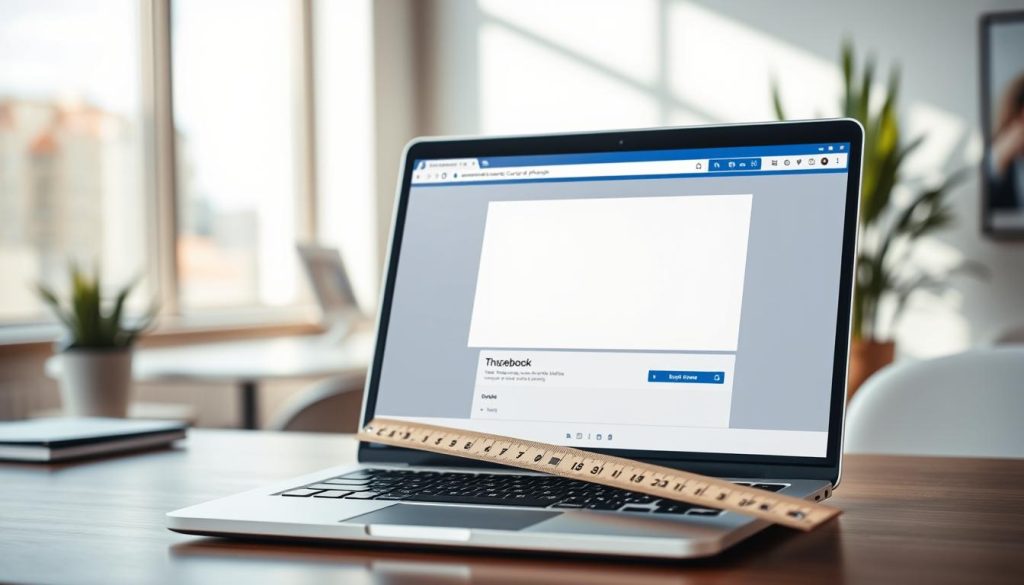
The best size for a Facebook cover photo is 820 pixels by 360 pixels. This size makes sure your photo looks clear on all devices. It’s also key to put all text and graphics in the middle safe zone to avoid them getting cut off.
Sticking to the recommended size helps avoid blurry or cut-off photos. This makes your cover photo look professional and interesting.
Importance of Aspect Ratio
The shape of your Facebook cover photo is just as important as its size. The best shape is 2.33:1. This shape is kept when you use the size of 820 x 360 pixels.
Using the right shape keeps your cover photo looking good. If the shape is wrong, it can look bad. This can make your profile look less professional.
Different Types of Facebook Cover Photos
Facebook cover photos vary a lot. They are for personal profiles, business pages, groups, and events. Each has its own rules and tips for looking good.
Personal Profiles vs. Business Pages
Personal profiles and business pages have different uses for cover photos. Personal profiles are for showing who you are. You can share your favorite things or achievements.
Business pages need to look professional. Your cover photo should show what your brand is about. It’s a chance to impress potential customers.
Event and Group Cover Photos
Events and groups have their own cover photo goals. Event photos should highlight the occasion, like a concert or sale. They should include important details.
Group photos should show what the group is about. It could be a hobby group or a support network. The photo sets the mood for everyone.
| Page Type | Cover Photo Purpose | Recommended Content |
|---|---|---|
| Personal Profile | Showcase personality or interests | Hobbies, favorite places, personal achievements |
| Business Page | Reflect brand identity | Products, services, company culture |
| Event | Promote a specific occasion | Dates, venues, key highlights |
| Group | Represent group theme or focus | Group theme, community aspects |
Knowing about different Facebook cover photos helps. You can make visuals that connect with your audience. This makes your page more appealing.
The Ideal File Format for Facebook Cover Photos
Choosing the right file format for your Facebook cover photo is key. Facebook has specific formats for the best look and quick loading.
Facebook likes sRGB JPG files under 100 kilobytes for the best performance. This is because it balances image quality and size well. A smaller file size means your photo loads faster, which is good for users.
JPEG vs. PNG: Which to Use?
For Facebook cover photos, you have JPEG and PNG to choose from. JPEG is the top pick because it balances quality and size well. It’s great for photos and detailed images.
PNG is better for graphics with clear backgrounds or text. But PNGs are usually bigger, which can slow down loading. If you pick PNG, make sure it’s under 100 kilobytes.
File Size Considerations
File size is key for fast loading of your Facebook cover photo. Facebook suggests keeping it under 100 kilobytes. You might need to compress or resize your image to meet this.
Using a JPEG compressor can help lower the file size without losing too much quality. Always check your photo after compressing to make sure it looks good.
By picking the right format and managing size, your Facebook cover photo will look great and load fast.
Tips for Designing Your Facebook Cover Photo
Your Facebook cover photo is often the first thing people see. It’s very important to make a good first impression. A well-designed cover photo can show what your brand is all about. It can also make people want to engage more with your page.
Keeping it Simple and Engaging
When designing your Facebook cover photo, keep it simple. Don’t put too much text or complicated graphics. Instead, aim for a clean design that grabs attention right away.
- Use high-quality images that fit your brand or message.
- Choose a clear, simple visual message that speaks to your audience.
- Make sure your cover photo fits the facebook header dimensions of 820 x 312 pixels on desktop and 640 x 360 pixels on mobile.
Incorporating Branding Elements
Adding your branding elements to the cover photo is key. This can include your logo, brand colors, or other unique visuals.
- Use your brand’s colors to make your Facebook page look consistent.
- Put your logo or branding elements in a way that looks good with the design.
- Think about adding a background texture or pattern. It should make the design better without taking over the main message.
By following these tips and knowing the facebook cover photo specs, you can make a great Facebook cover photo. It will make your page look better and engage your audience more.
Using Text Effectively in Your Cover Photo
Text is key in your Facebook cover photo. It helps capture your photo’s essence. Think about the look and message you want to share.
Font Choices and Size Recommendations
Choosing the right font is crucial. Pick fonts that are clear and match your brand. Make sure your text is big enough to read on all devices.
- Use font sizes between 24 and 48 points for headings.
- Ensure high contrast between the text and the background to enhance readability.
- Avoid overly decorative fonts that may be hard to read.
Best Practices for Readability
To make your text easy to read, keep it short and simple. Stick to a few key words or phrases.
- Keep your text short and to the point.
- Use a clear and consistent font throughout.
- Test your cover photo on different devices to ensure readability.
By following these tips, you can make a Facebook cover photo that gets your message across. It will also grab your audience’s attention.
Mobile vs. Desktop Layouts
Your Facebook cover photo looks different on mobile and desktop. You need to think about how it will show up on each. This is key to making sure your cover photo looks good everywhere.
Adapting Your Cover Photo for Different Devices
When making your Facebook cover photo, think about how it will look on desktops and phones. Desktops show the whole photo, but phones might crop or center it. Use a facebook cover template that fits the different sizes and shapes.
Put important parts in the middle of your photo. This way, they’ll likely show up on all devices. Use cover photo guidelines to make sure your photo is the right size and shape.
Previewing Your Cover Photo on Mobile
After you design your cover photo, check how it looks on phones. You can use Facebook’s preview feature or just look at it on your phone. This helps you see if there are any problems with how it’s cut off or shown.
By making your cover photo work for both desktops and phones, your Facebook page will look great no matter how people see it. Follow cover photo guidelines and use a good facebook cover template to make your page look better.
The Role of Color in Your Cover Photo
Color is very important for a Facebook cover photo. It can make people feel certain ways and help them connect with your content.
Choosing Colors that Stand Out
To make your cover photo pop, pick colors that look good and fit your brand. Think about the feelings you want to share with your audience. Blue can mean trust, and red can mean excitement.
Try out different color mixes to find the best one for your brand. Make sure these colors match your Facebook page’s look.
Color Psychology and Audience Engagement
Color psychology affects how people react to your cover photo. Different colors can make people feel different things, which can help or hurt your engagement.
Green is calm and growth, great for health brands. Orange is creative and fun, good for young brands.
- Use colors that match your brand’s vibe and message.
- Think about how colors mean different things in different places.
- Try different colors to see what works best.
Knowing about color psychology can make your Facebook cover photo more appealing. It can also help you connect better with your audience.
Creative Ideas for Your Facebook Cover Photo
Your Facebook cover photo is more than a visual. It’s a chance to leave a lasting mark. With the right design, you can grab your audience’s attention and boost your profile’s look.
Seasonal Themes and Promotions
Adding seasonal themes to your Facebook cover photo can make it more interesting. For example, using holiday-themed graphics or limited-time offers can get people talking. Make sure your cover photo fits the recommended facebook header dimensions of 820 x 312 pixels for desktops and 640 x 360 pixels for mobiles.
Here are some seasonal theme ideas:
- Holiday greetings (e.g., Christmas, New Year, Thanksgiving)
- Summer or winter promotions
- Back-to-school campaigns
- Special event announcements
Showcasing Products or Services
Your Facebook cover photo is a great way to show off your products or services. By doing so, you can draw in new customers and boost sales. Use top-notch images that fit the recommended facebook banner resolution.
Here are some ideas:
- Feature a new product or service
- Highlight customer testimonials or reviews
- Promote a special offer or discount
- Showcase your brand’s story or mission
By using these creative ideas, you can make your Facebook cover photo more engaging and effective. Always keep your design true to your brand and adjust it to fit the recommended dimensions for the best display.
Updating Your Facebook Cover Photo Regularly
Fresh content is key to captivating your audience, and your Facebook cover photo is no exception. Regularly updating your cover photo can keep your page looking dynamic and engaging. It reflects changes in your business, promotions, or seasonal themes.
Benefits of Fresh Content
Updating your Facebook cover photo regularly offers several benefits. It allows you to:
- Keep your content fresh and relevant to your audience’s current interests.
- Showcase new products or services, highlighting what’s new and exciting.
- Reflect seasonal or timely themes, making your page feel current and engaged.
By doing so, you can maintain a high level of audience engagement. You can attract return visitors to your page.
How Often Should You Update?
The frequency of updating your Facebook cover photo depends on your page’s purpose and audience. For businesses, updating every quarter or during significant promotions can be effective. For personal profiles, less frequent updates might be sufficient, unless you’re highlighting specific events or achievements.
| Page Type | Update Frequency | Example Triggers |
|---|---|---|
| Business Page | Quarterly or Promotionally | New product launch, seasonal sales |
| Personal Profile | As needed or Annually | Major life events, personal achievements |
By considering these factors, you can determine the best update schedule for your Facebook cover photo. This ensures it remains a compelling part of your page.
Analyzing Cover Photo Performance
It’s important to check how your Facebook cover photo is doing. Facebook Insights can help you see what your audience likes.
Facebook Insights gives you a detailed look at your page’s performance. To see this, go to your Facebook Page. Click on ‘Insights,’ then find the ‘Posts’ or ‘Content’ section.
Using Facebook Insights for Evaluation
Facebook Insights lets you check your cover photo’s performance. Look at likes, comments, and shares. This shows what your audience likes.
If your cover photo gets lots of likes but few comments, it means people like your content. But they don’t want to talk about it more.
| Metric | Description | Importance |
|---|---|---|
| Likes | Number of likes on your cover photo | Indicates appreciation for your content |
| Comments | Number of comments on your cover photo | Shows engagement and interaction with your audience |
| Shares | Number of times your cover photo is shared | Reflects the content’s virality and reach |
Adjusting Based on Audience Engagement
After checking your cover photo’s performance, you can change your plan. If it’s not doing well, try a new cover photo. Make sure it’s something your audience will like.
For example, if people like seasonal content, change your cover photo with the seasons. This keeps your content interesting and relevant.
Keep watching your cover photo’s performance and adjust as needed. This way, you can make sure your Facebook page is always great. Your cover photo will meet its goals, keeping the ideal Facebook cover size and following cover photo guidelines.
Legal Considerations for Cover Photos
It’s important to know the legal side of Facebook cover photos to avoid copyright problems. When picking a cover photo, you’re not just picking an image. You’re also taking on legal duties related to its use.
Copyright and image licensing are key legal points. Using an image without the right permissions can cause legal trouble. Always check the licensing terms of any image you use, whether it’s a stock photo or something you made yourself.
Copyright and Image Licensing
Copyright laws protect creators of original works, like photos and graphics. When using someone else’s work, make sure you have the right to do so. This might mean buying a license or getting permission from the copyright holder.
To stay clear of copyright problems, remember these tips:
- Choose royalty-free images or stock photos from trusted sources.
- Buy the right licenses for copyrighted materials.
- Make your own graphics that don’t copy existing copyrights.
Using Stock Images vs. Original Graphics
Stock images and original graphics both have their benefits. Stock images are easy to find and can save money. Original graphics can make your Facebook page stand out.
| Image Type | Advantages | Disadvantages |
|---|---|---|
| Stock Images | Available and affordable | May not be unique and others might use it |
| Original Graphics | Unique and tailored to your brand | Costs money to create or commission |
Think about your branding and message when choosing between stock images and original graphics. Make sure your image fits Facebook’s size rules. This includes the facebook header dimensions of 820 x 312 pixels for desktop and 640 x 360 pixels for mobile.
By understanding these legal points and picking the right image, you can make your Facebook page look great. And you’ll avoid legal problems too.
Conclusion: Perfecting Your Facebook Cover Photo
Follow best practices and use Facebook’s recommended dimensions to make a great cover photo. Your Facebook cover photo is key to grabbing your audience’s attention. It also helps share your brand’s message.
Essential Elements for Success
To make your Facebook cover photo stand out, use the right facebook banner dimensions and follow facebook cover photo best practices. Choose the best file format and add engaging visuals. Make sure your design looks good on both desktop and mobile.
Next Steps for Optimization
Now you know how to make a great Facebook cover photo. It’s time to use what you’ve learned. Update your cover photo often to keep things fresh and interesting for your audience. Use Facebook Insights to see how your cover photo is doing. Then, make changes to improve its performance.